



Flanger
Администратор
-
Зарегистрирован
Весь контент Flanger
-
1611539235254688431_460x612[1].webm
-
Видос из пейсбука от Sofya Espinosa Sofya Espinosa.mp4
-
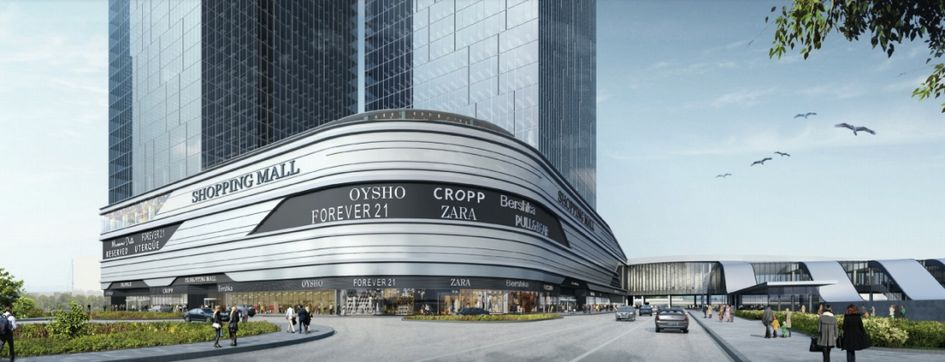
 Таймлапс роспуска бутонов цветов Pikabu.mp4Видос из пейсбука от Sofya Espinosa sofya-espinosa.mp4Можете уже купить квартиру -https://www.pik.ru/search?block=477 С сайта фотки и рендер: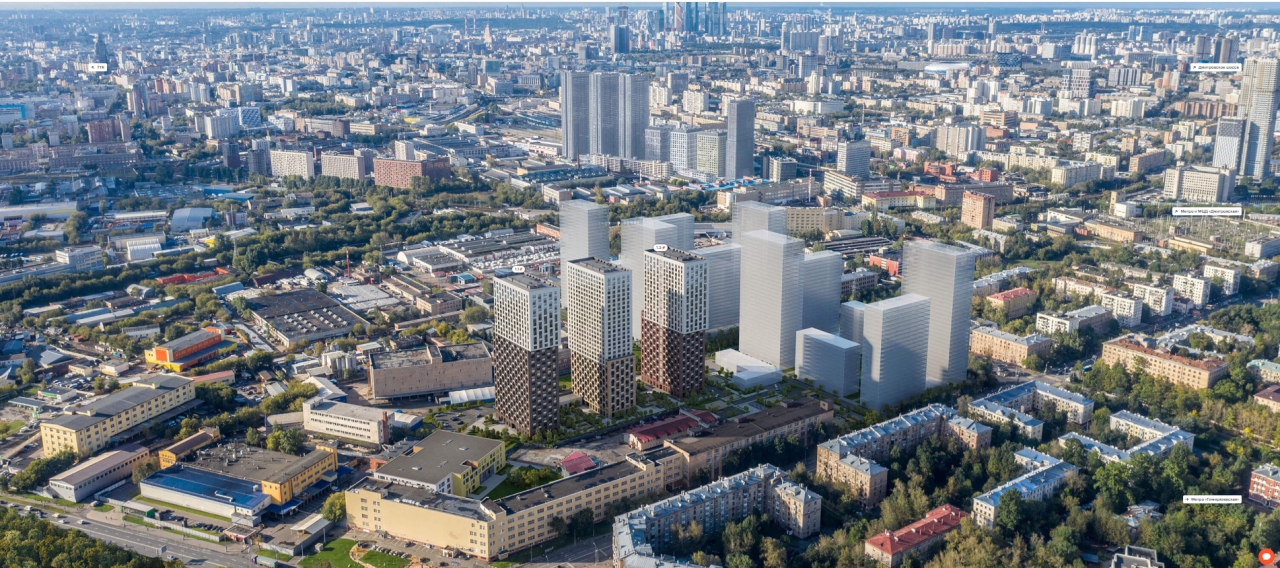
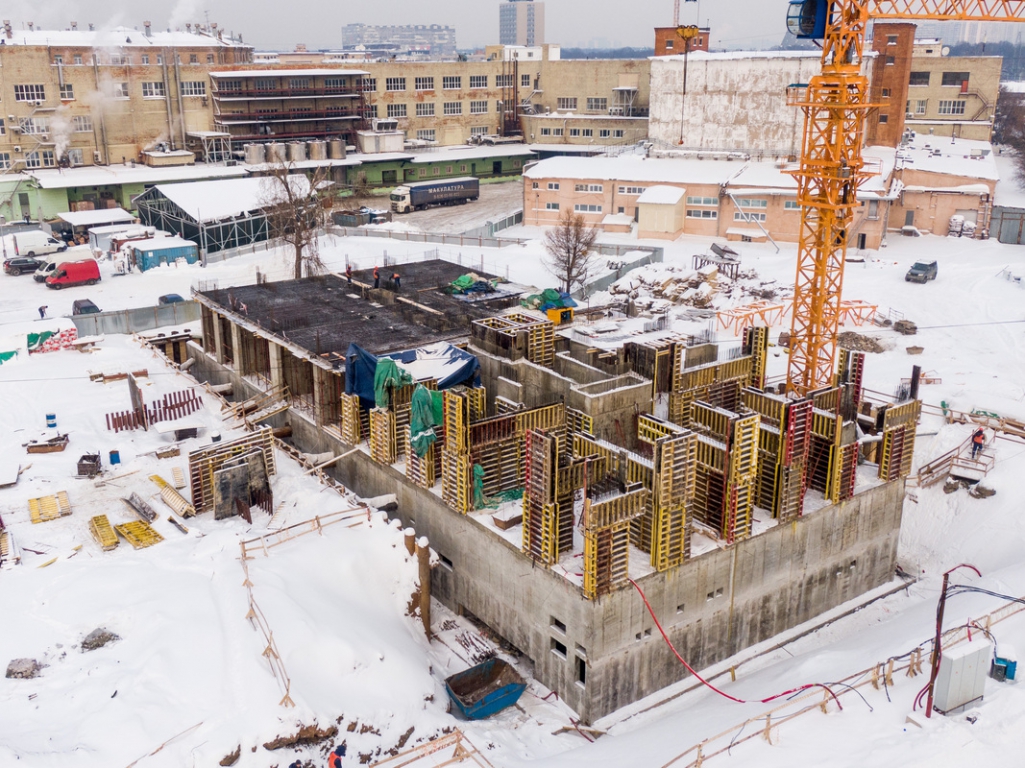
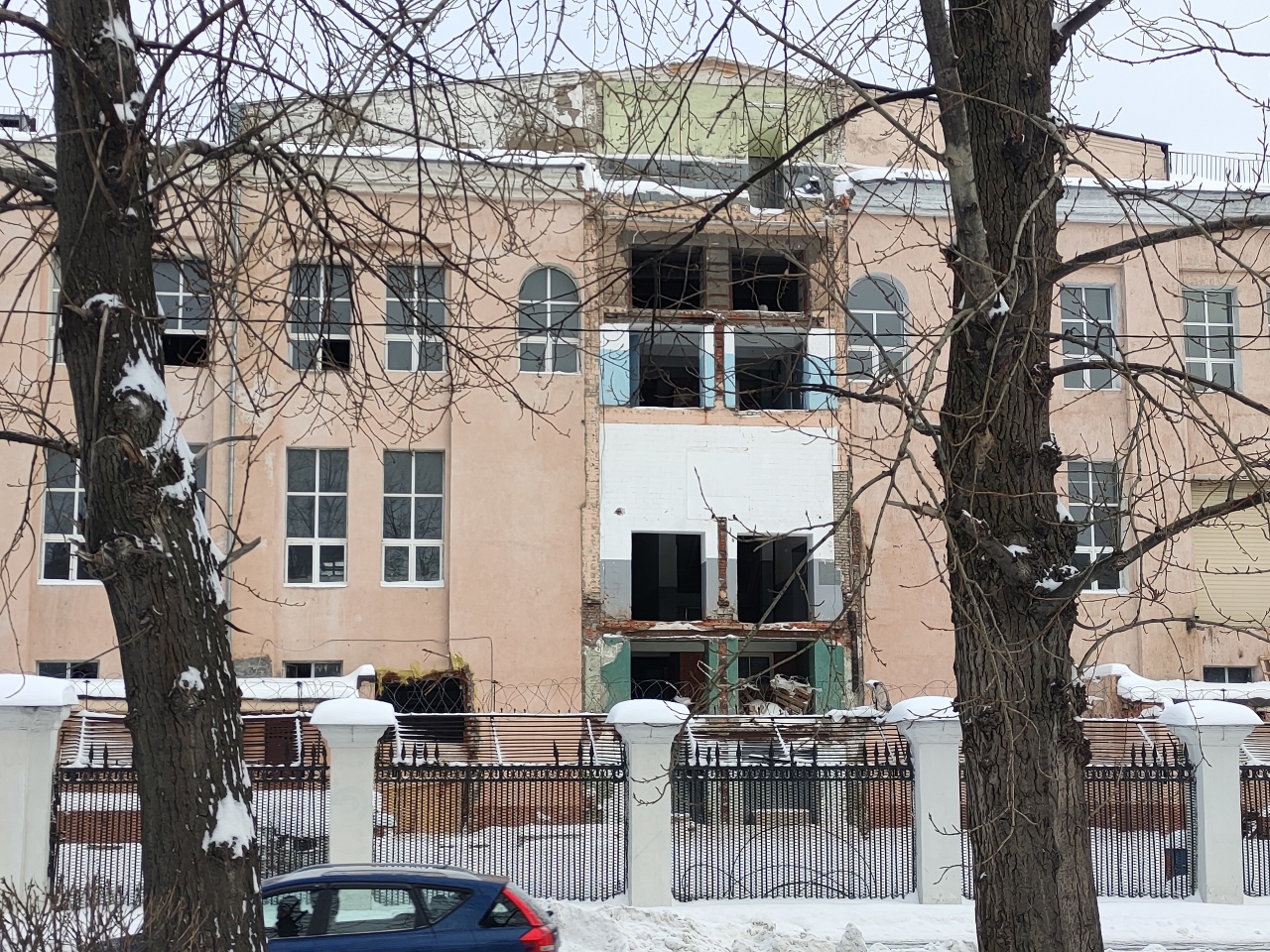
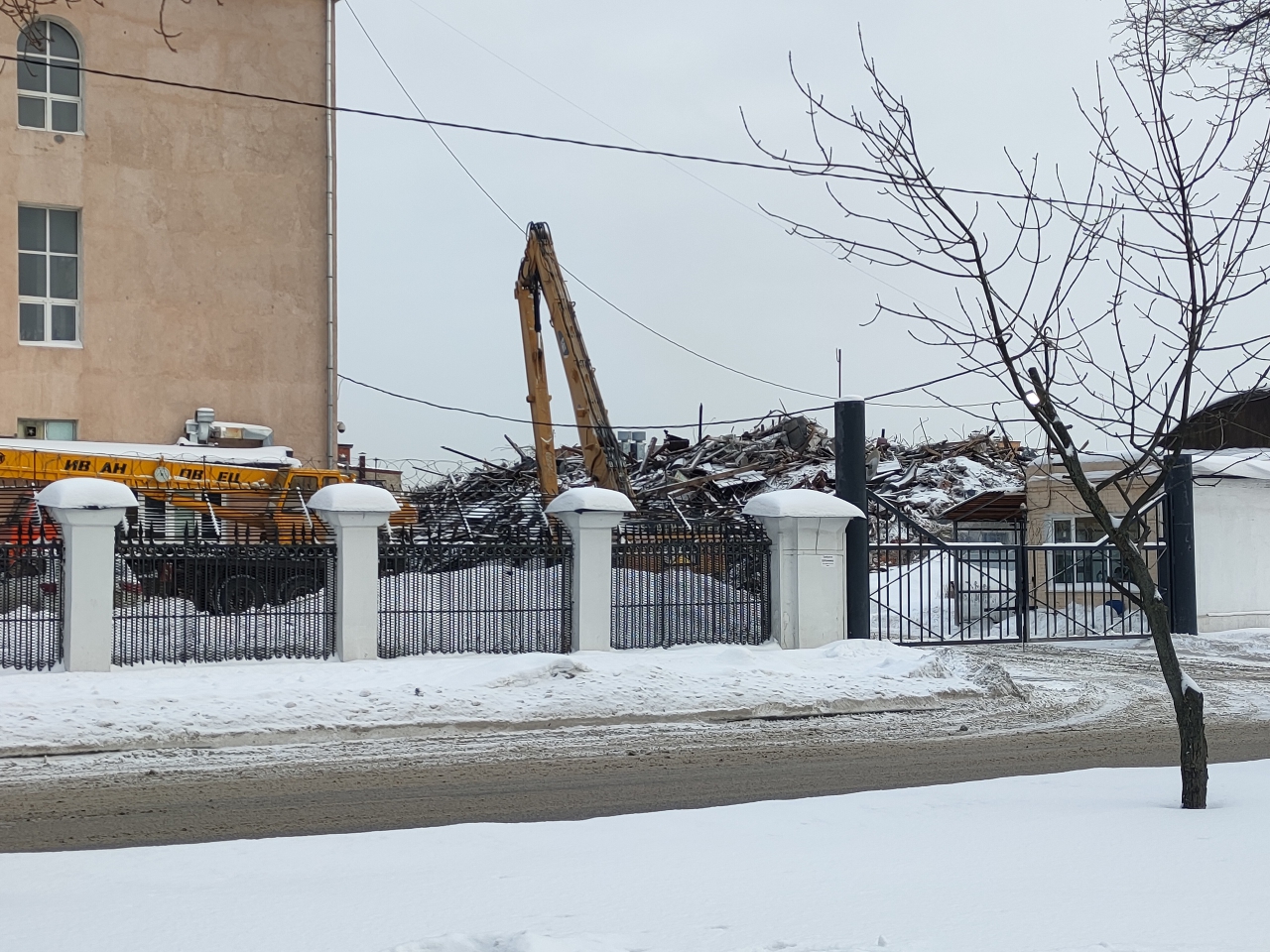
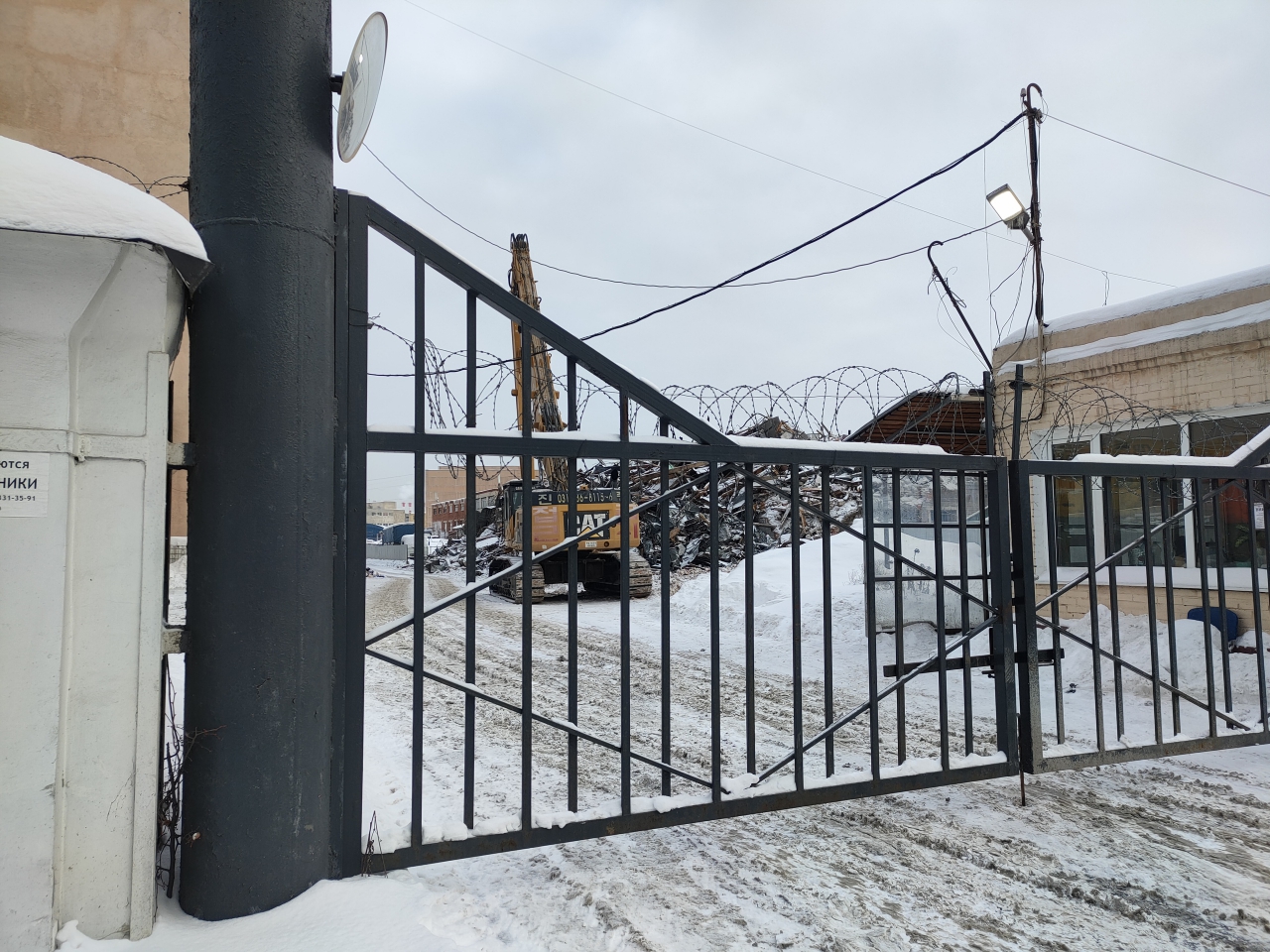
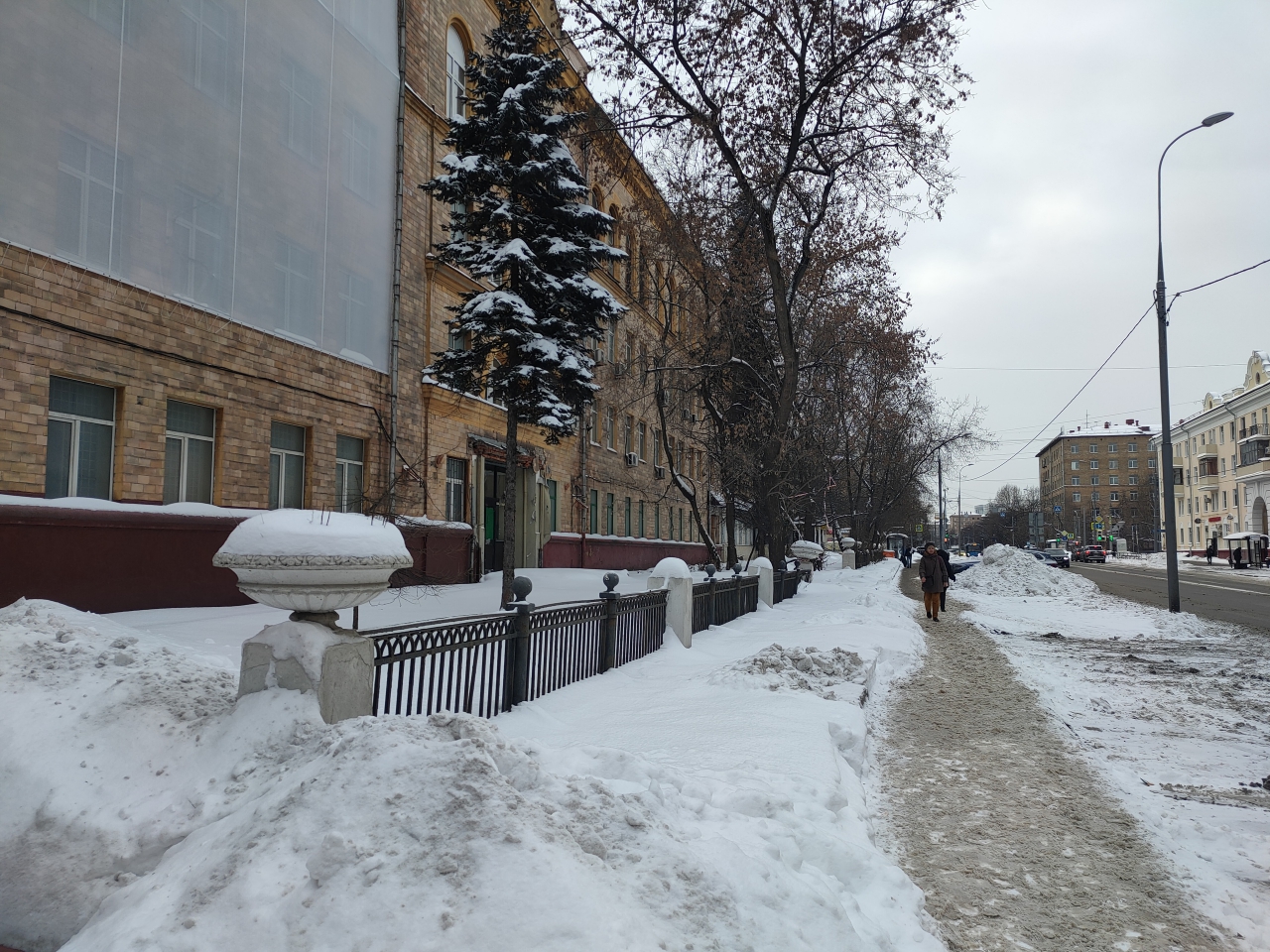
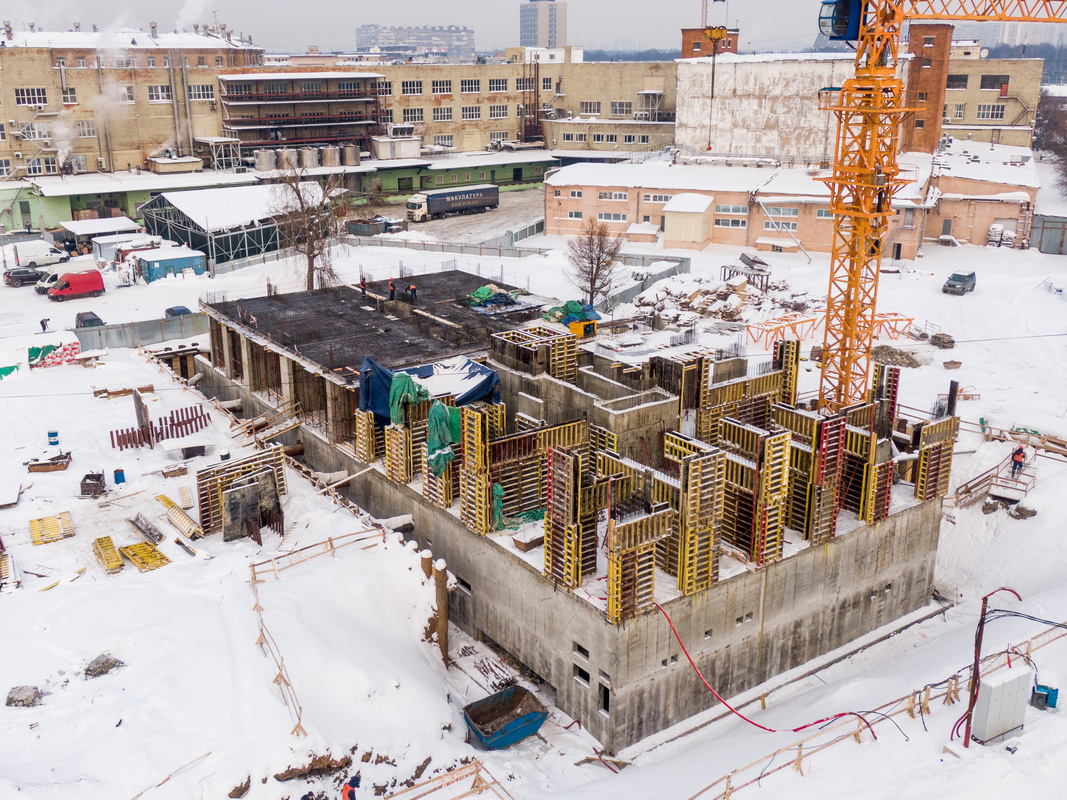
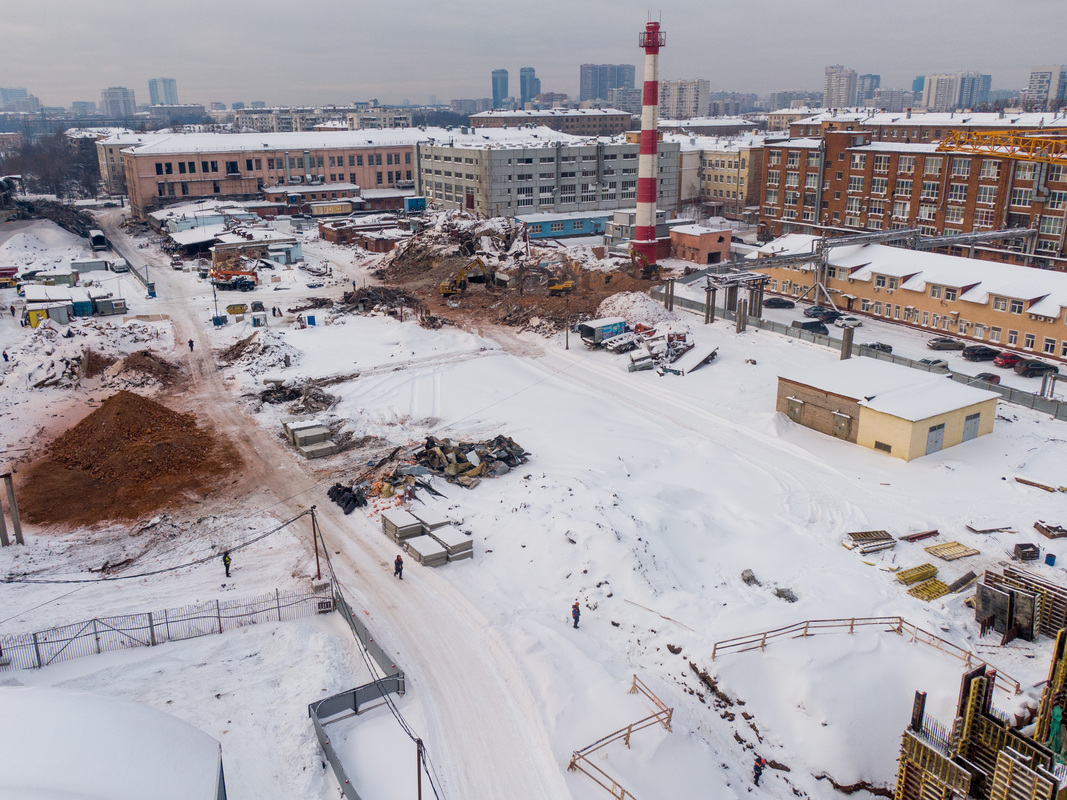
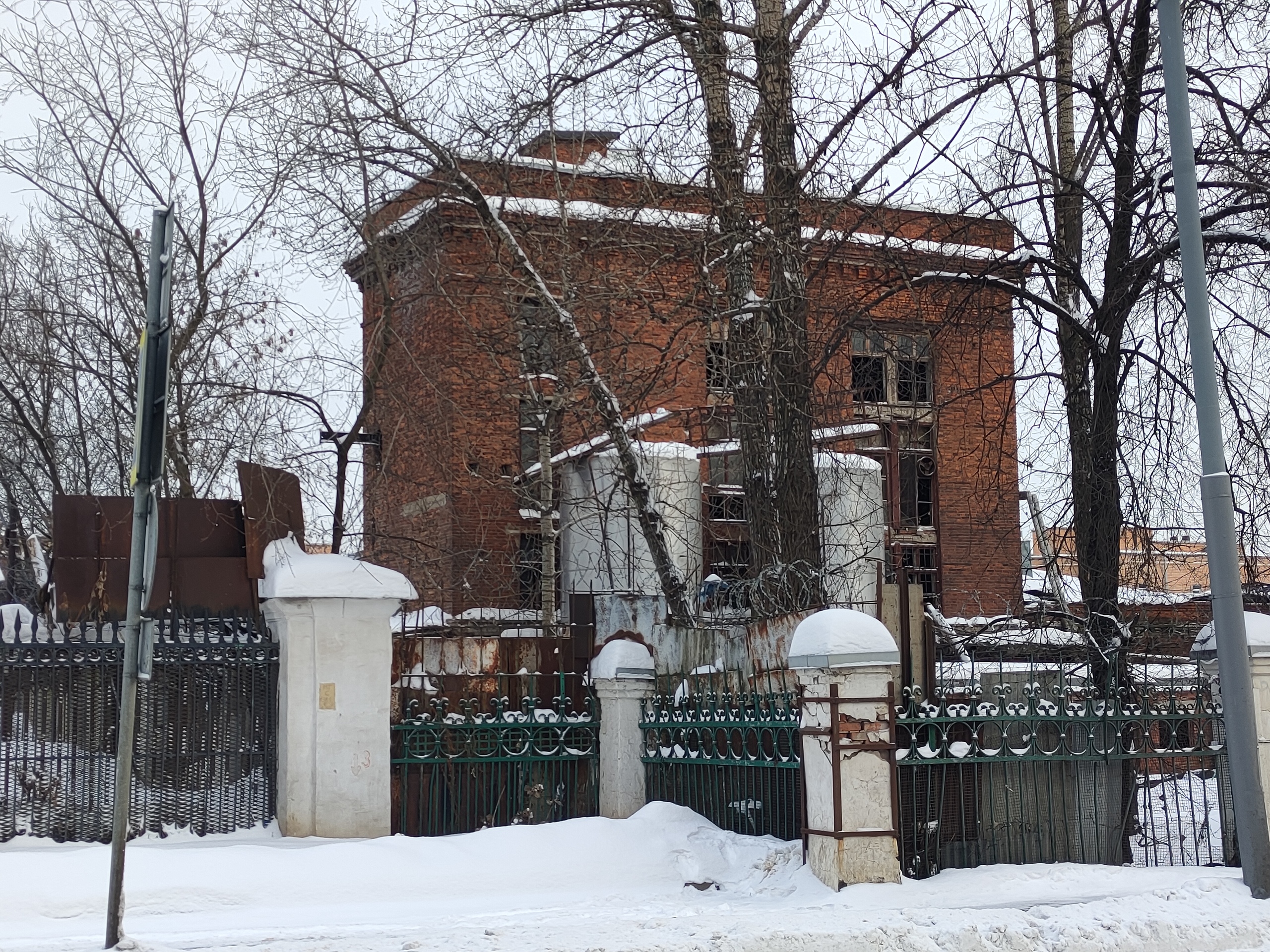
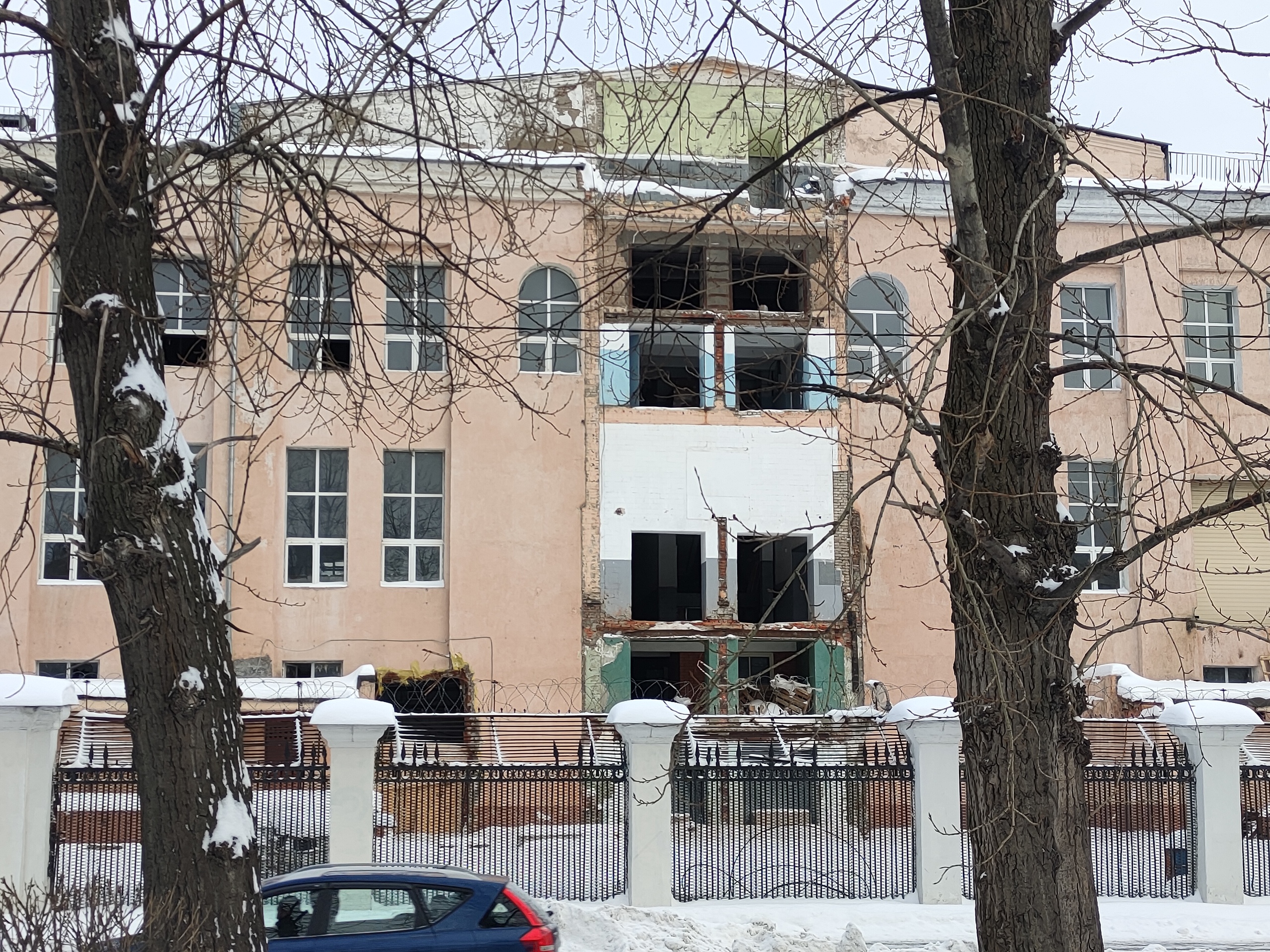
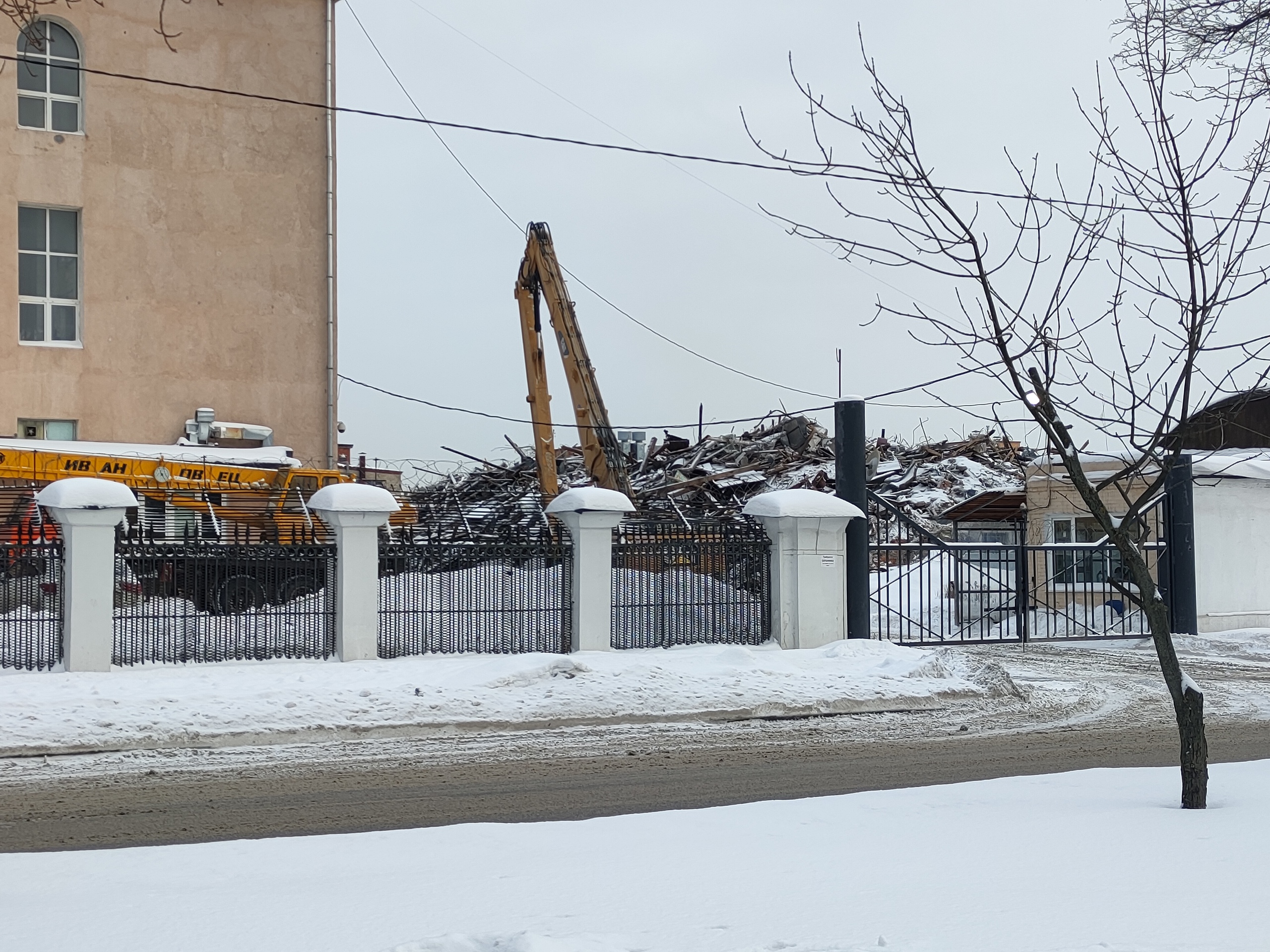
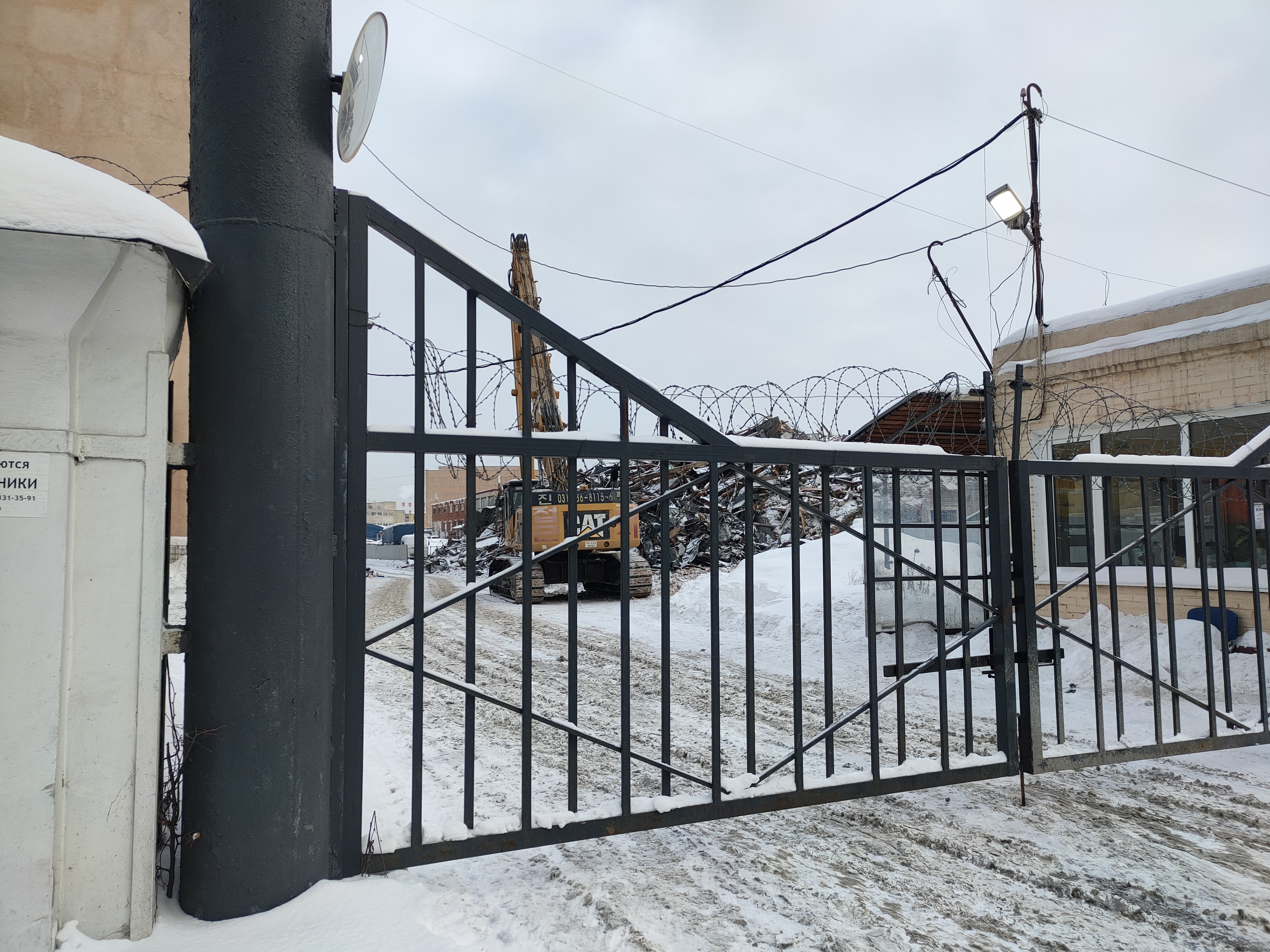
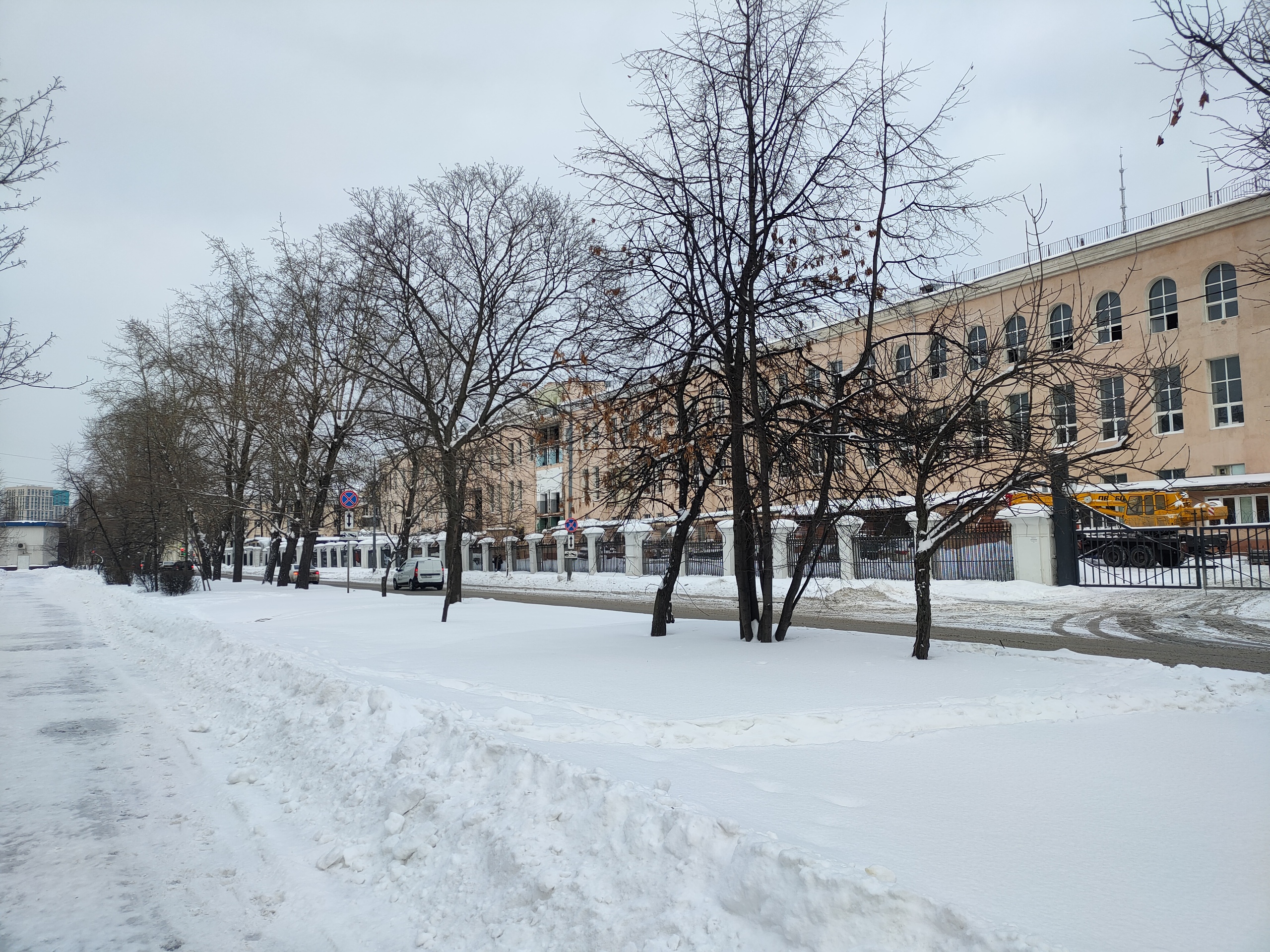
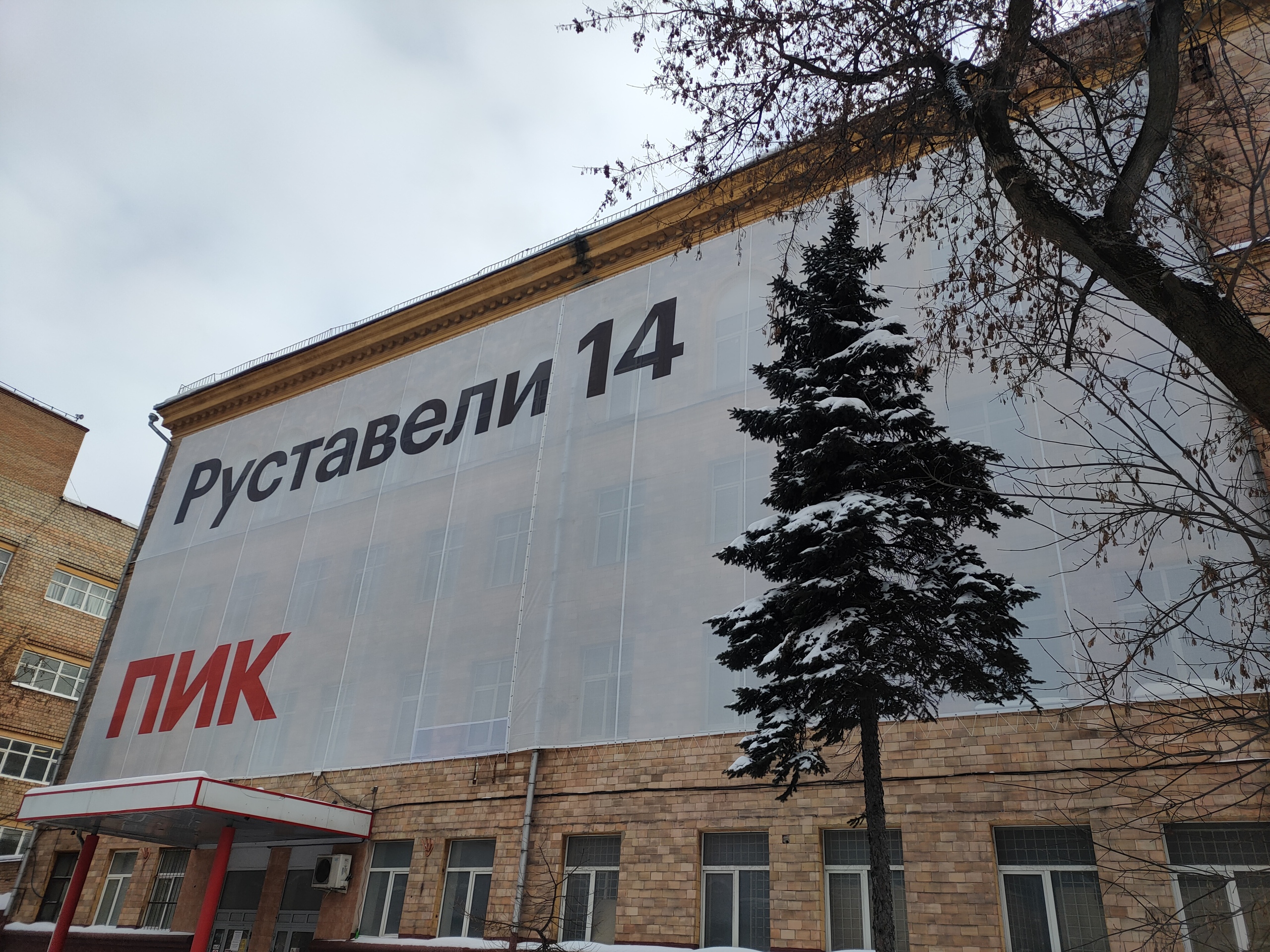
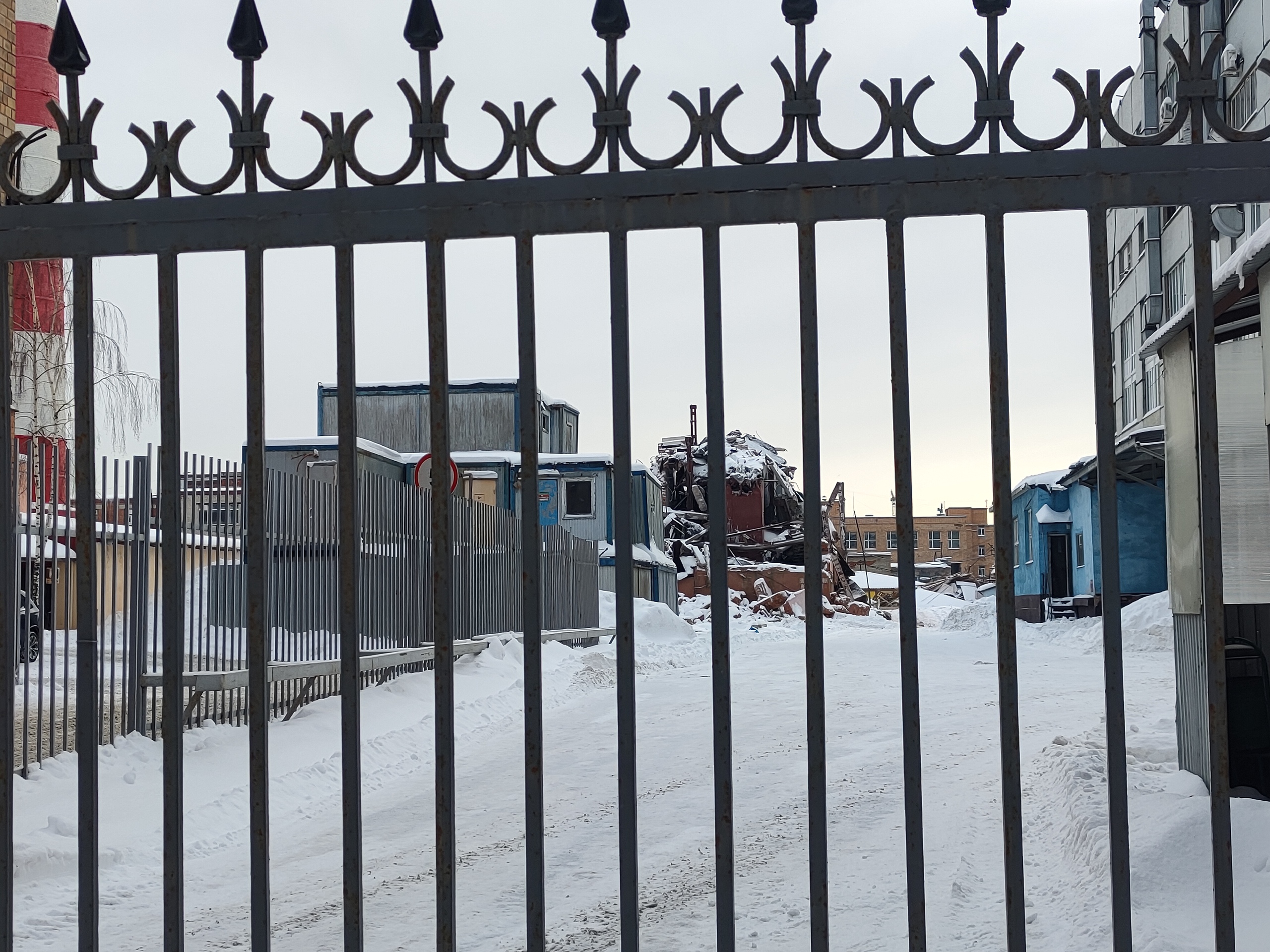
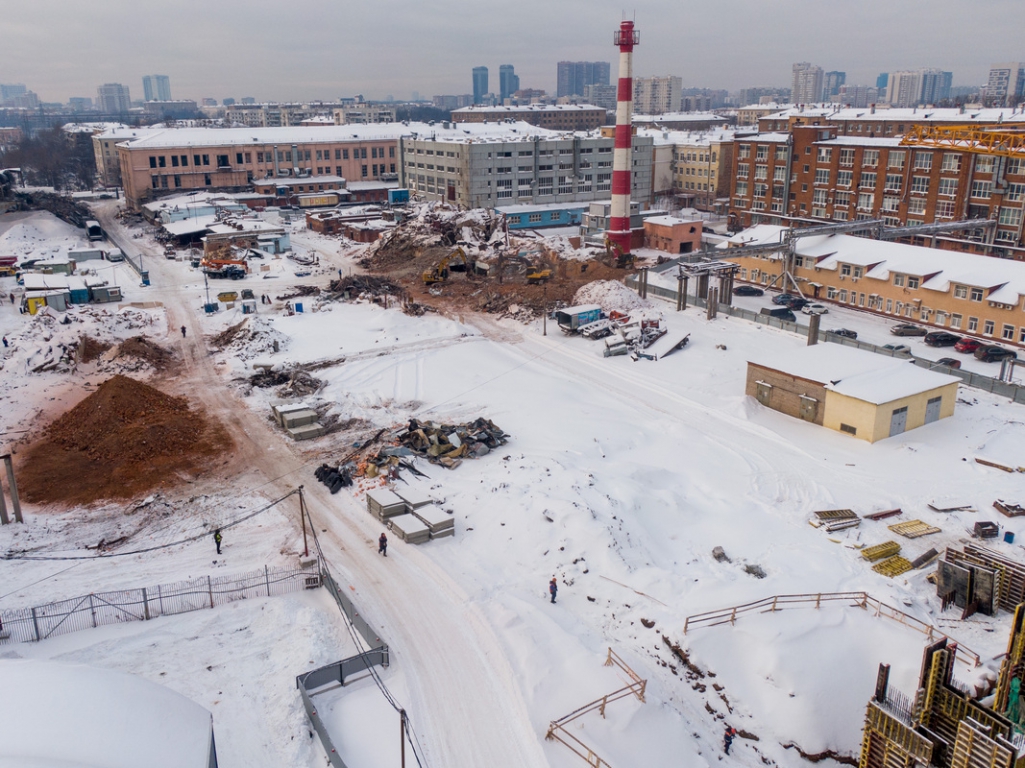 Внутри сносят, снаружи исторические здания целые и ничего и не видно почти, что там во дворах происходит.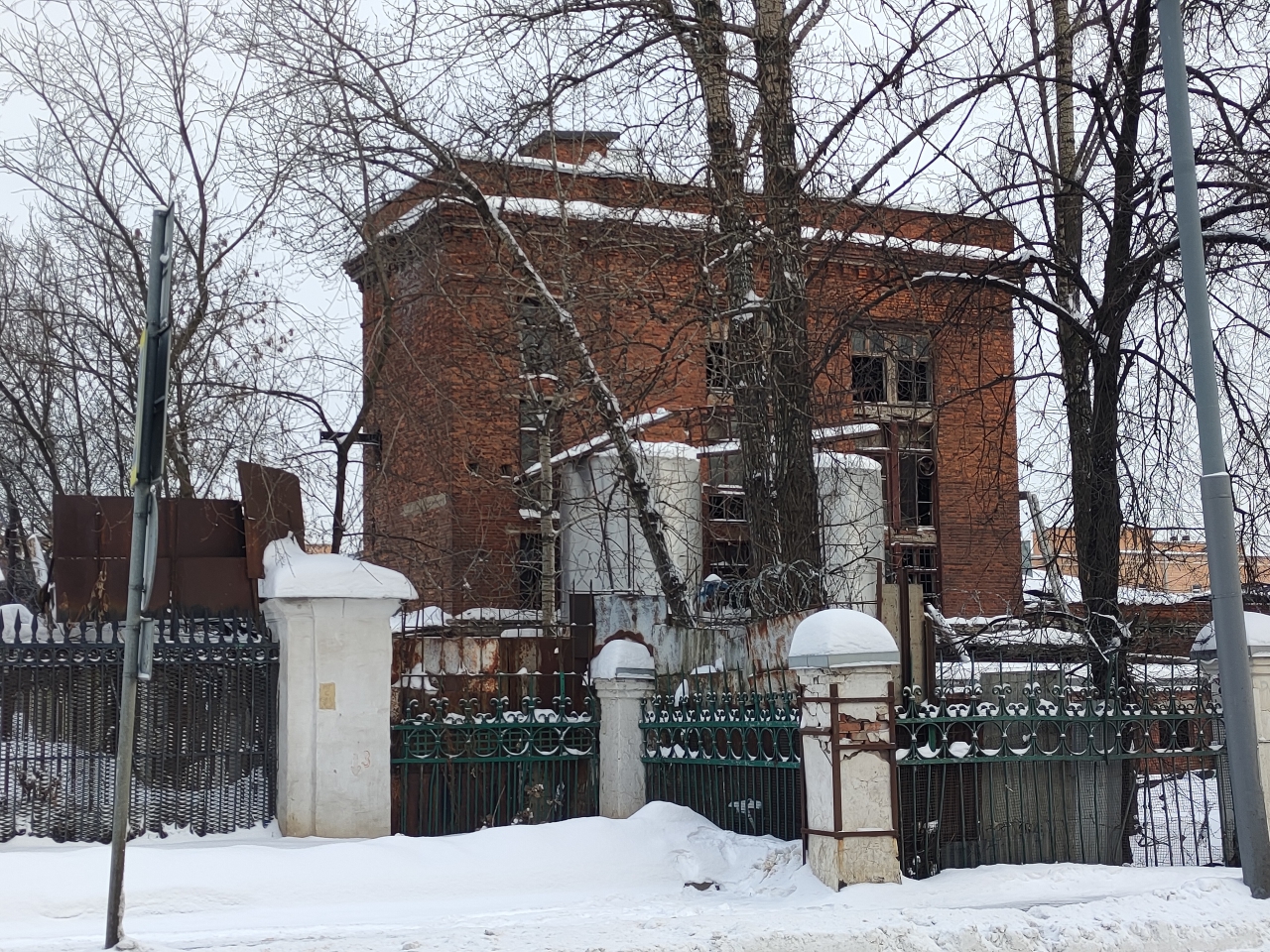
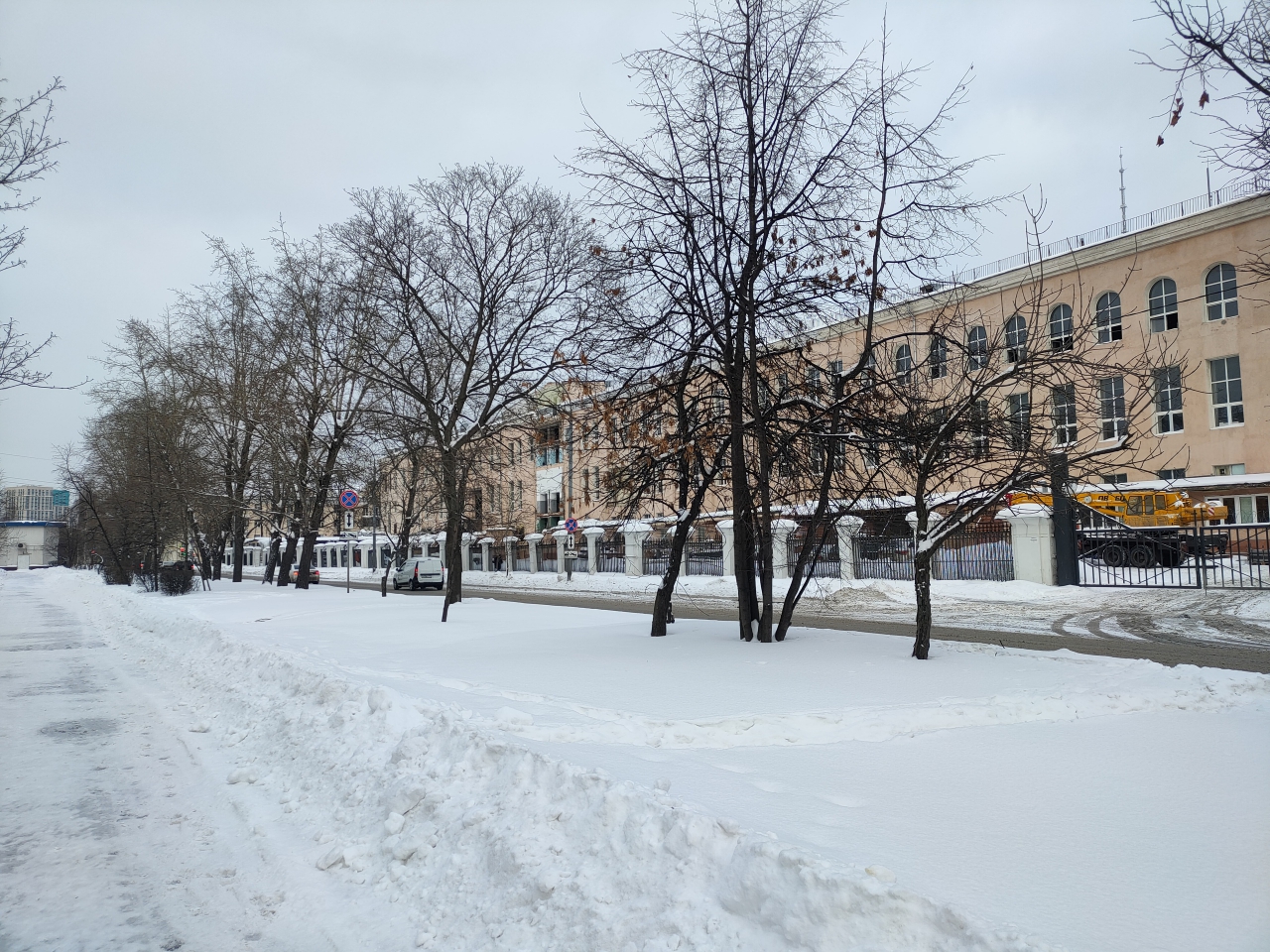
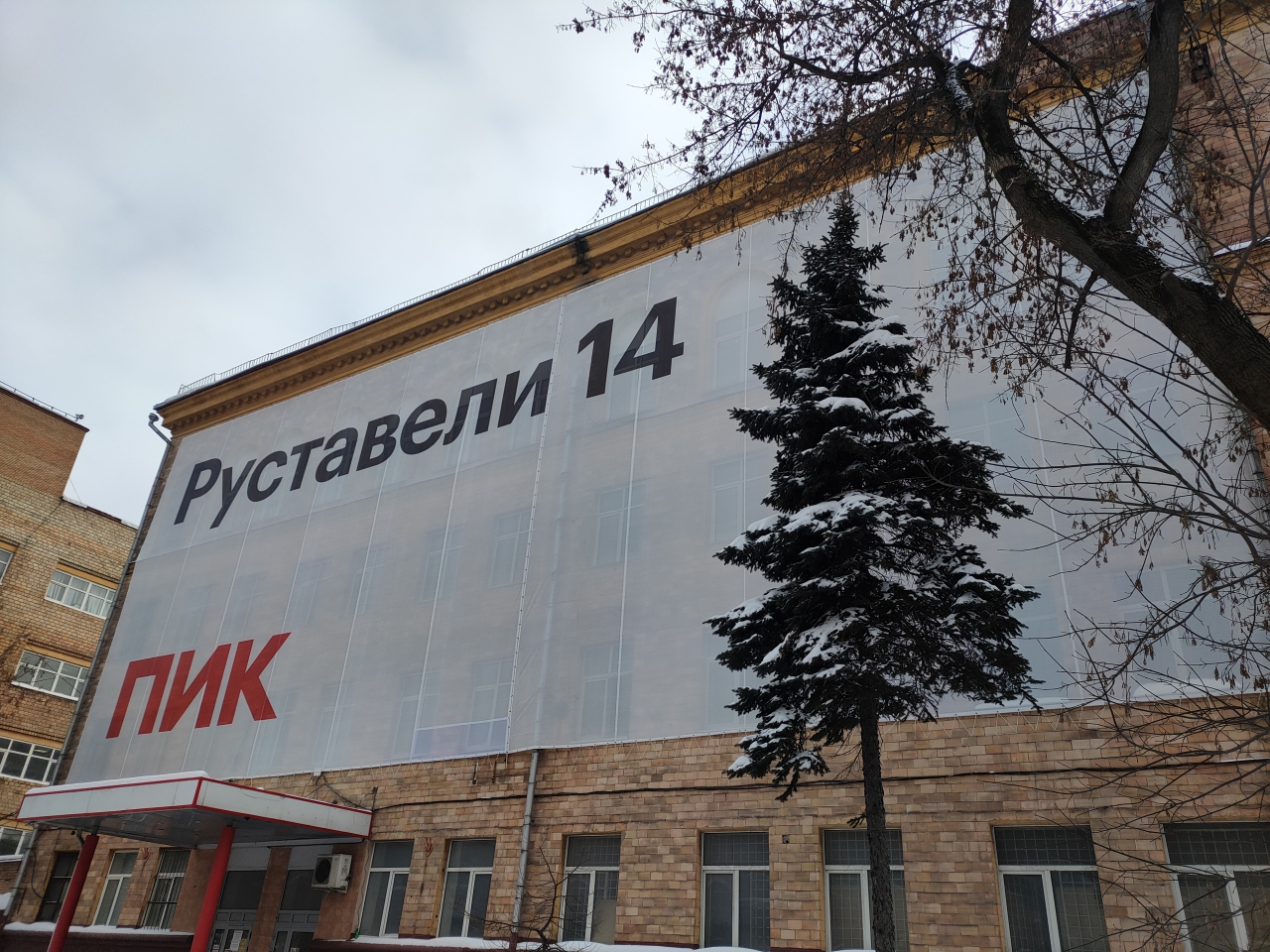
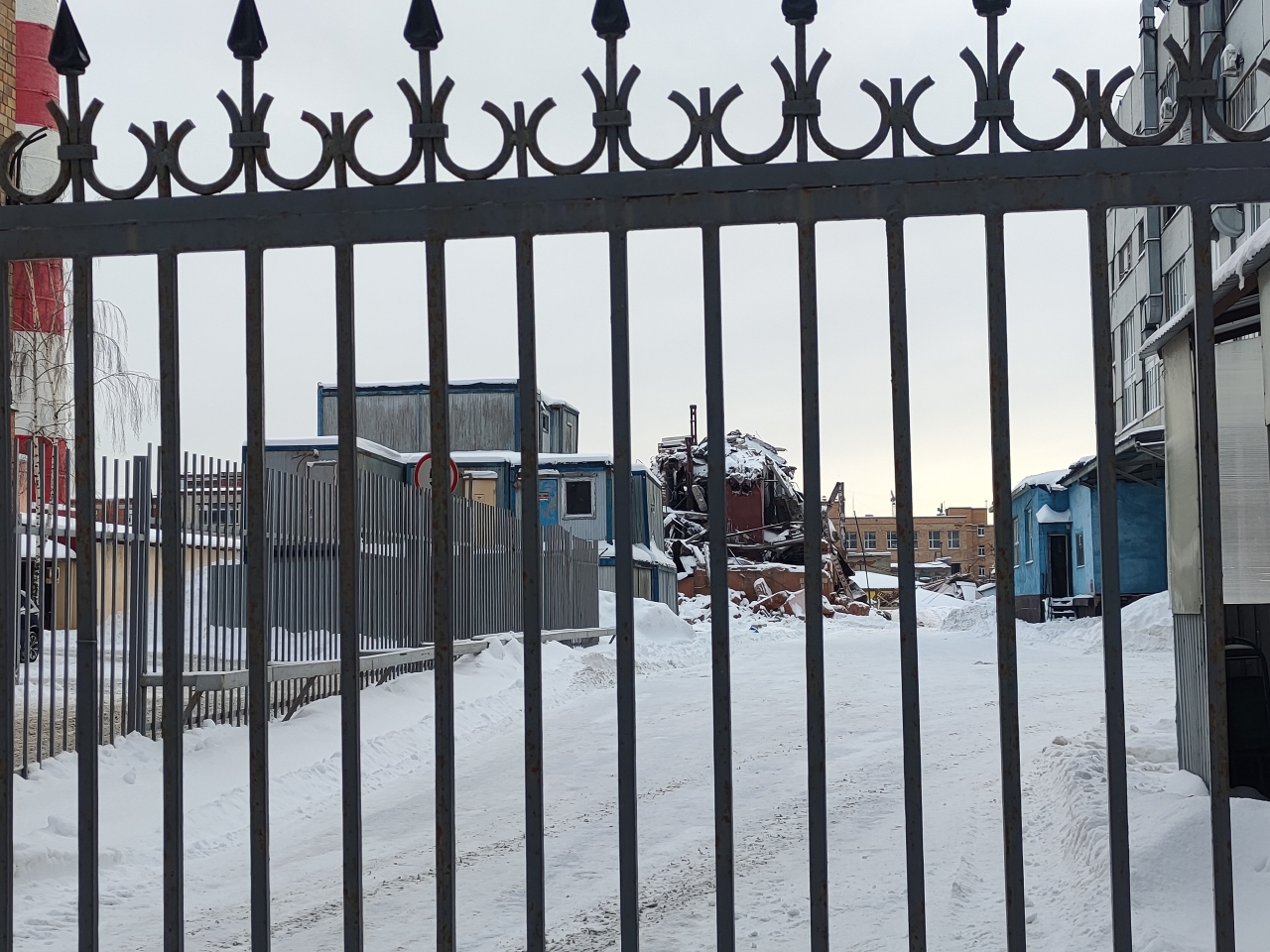 Что построить хотят:
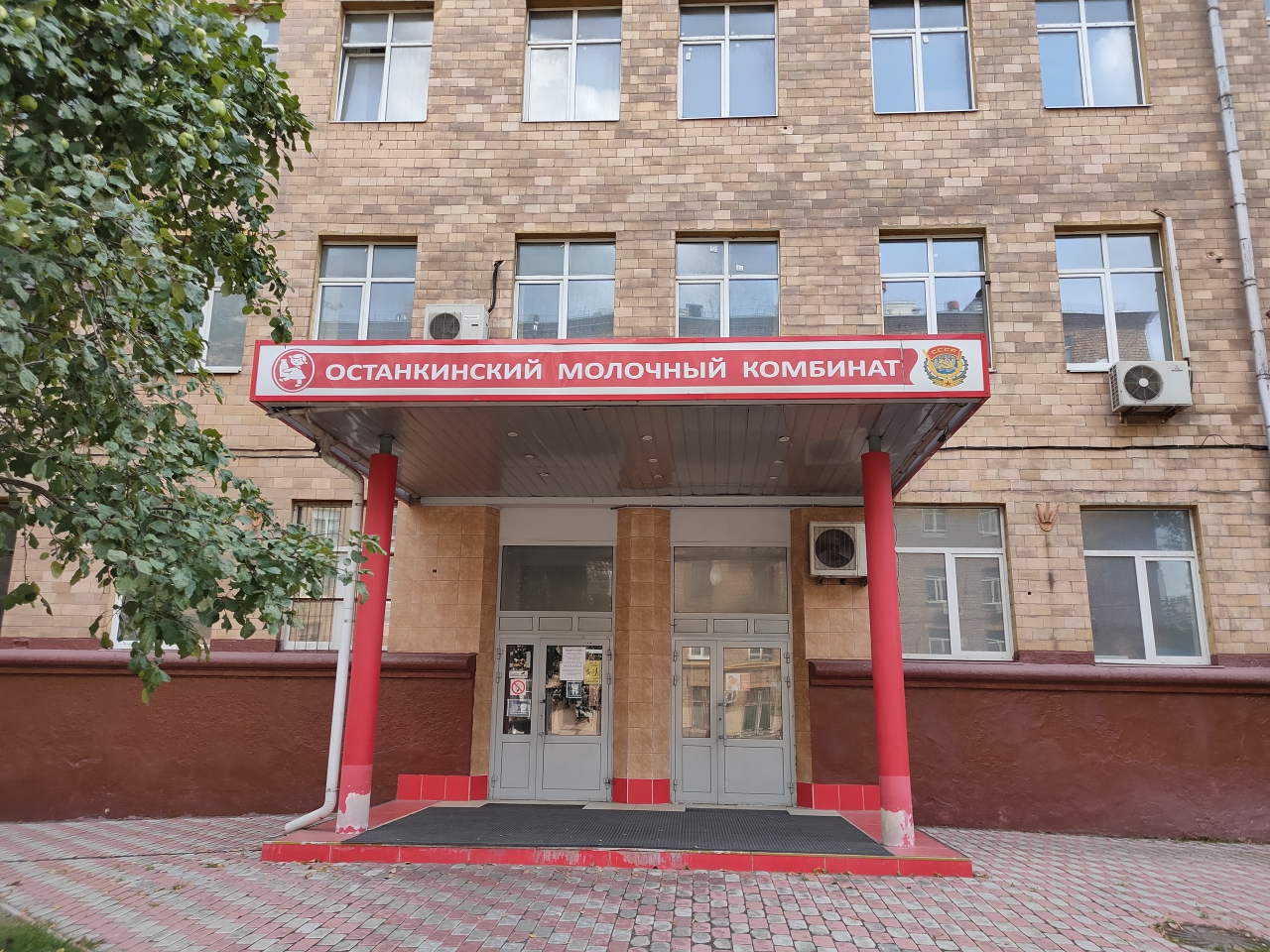
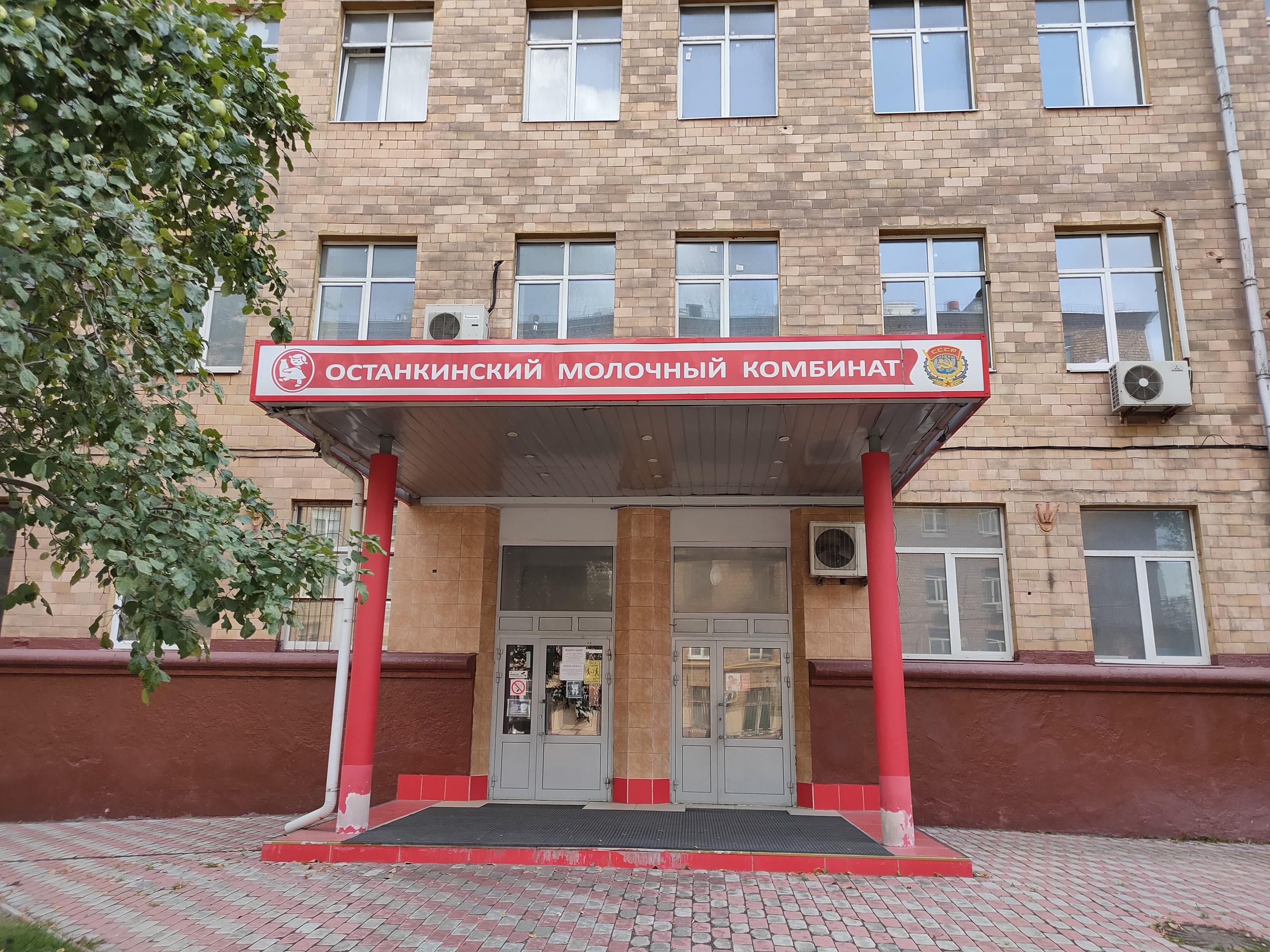
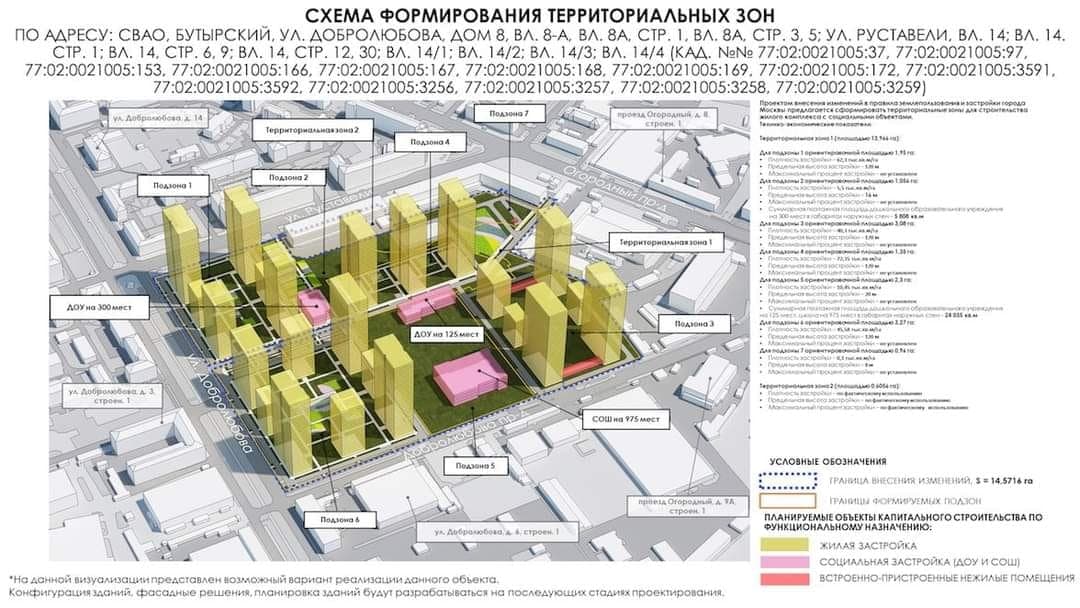 Останкинский молочный комбинат с 2017 обанкрочен Сбербанком. Еще летом фоткал табличку, сейчас уже все сняли. Останкинский молочный комбинат Первая попытка построить на Бутырском хуторе крупный молокозавод отмечена в 1940 году, когда был разработан проект строительства «московского молочного комбината детских и диетических продуктов в Останкино», но из-за Великой Отечественной войны строительство осуществлено не было. В 1950 году строительство по первоначальному проекту возобновлено, и к 1955 году завод, ставший на тот момент крупнейшим советским молочным предприятием, запущен в эксплуатацию. Первоначальная мощность комбината составляла 250 тонн переработки молока в сутки. В первые годы молоко и кисломолочные продукты разливались только в стеклянную тару, в 1961 году на предприятии введены в строй две линии упаковки молока в классические поллитровые пакеты-тетраэдры — одна оригинальная от Tetra Pak, другая — аналогичная советской разработки. В 1962 году все основные московские предприятия молочной промышленности, в том числе Очаковский и Царицынский молочные комбинаты, Московский завод плавленых сыров, собраны в производственное объединение «Молоко», Останкинский комбинат стал ведущим предприятием объединения. В 1964 году на комбинате освоен выпуск сгущённого молока в жестяных банках и тубах. В 1965 году предприятие награждено орденом Трудового красного знамени с формулировкой «за досрочное выполнение заданий семилетнего плана, совершенствование техники и технологии производства, освоение новых видов продукции». В 1971 году запущена линия упаковки в литровые бумажные пакеты и комбинат окончательно отказался от стеклянной тары. В том же году появилась линия по производству глазированных сырков. В 1980-е годы введена в эксплуатацию линия по производству стерилизованного молока со сроком хранения до 10 дней. В 1992 году комбинат акционирован. В начале 1990-х, вслед за меняющейся конъюнктурой, завод начал выпускать десертные и питьевые йогурты, творожные массы, шоколадные сырки. Также в начале — середине 1990-х годов на предприятии освоен выпуск фруктовых соков и нектаров (торговая марка «Сокос»), притом их доля в реализации была значительной. Переход в то время многих молочных комбинатов на выпуск соков был вызван высокой рентабельностью их производства и одновременным падением потребления молочных продуктов (снизившимся с почти 400 кг в год на душу населения в пересчёте на цельное молоко в 1989 году до 230 кг в год в 1997 году). К 1998 году комбинат вышел на второе место в России по производству соков, уступая лишь «Вимм-Билль-Данну» (основное производство соков которого располагалось на построенном в 1980-е годы Лианозовском молочном комбинате). После кризиса 1998 года в связи со значительным увеличением рублёвой цены импортируемого сокового концентрата вкупе с ростом валютных цен из-за низкого урожая цитрусовых в 1999 году производство соков перестало быть столь же рентабельным, как в середине 1990-х и постепенно к началу — середине 2000-х годов выпуск соков на Останкинском комбинате был свёрнут. (Во второй половине 2000-х годов торговую марку «Сокос» использовала фирма «Нидан».) С конца 1990-х годов на комбинате производится стерилизованное молоко со сроком хранения до 6 месяцев. В 1999 году Останкинский и Очаковский комбинаты с целью конкуренции с «Вимм-Билль-Данном» создали на паритетных началах фирму «Молочный альянс», которая должна была заниматься единым сбытом и маркетингом продукции[9], однако руководителям предприятий так и не удалось договориться о распределении функций и полномочий с совместной дочерней структурой, и «Молочный альянс» фактически выродился в одну из обычных оптовоторговых компаний, в объёме сбыта которой продукция предприятий-учредителей составляла уже к 2000 году лишь 20 %. С 2001 году года на комбинате осуществляется производство шоколадных молочных коктейлей Nesquik по сублицензионному договору со швейцарской Nestle, согласно которому лицензиар предоставляет права на производство и сбыт, поставляет ингредиенты и контролирует качество выпускаемой продукции; притом все производственные расходы в размере $1 млн на строительство нового цеха, закупку и запуск фасовочной линии Tetra Pak — взяты на себя комбинатом. С осени 2007 года велись переговоры о продаже предприятия с тремя крупными участниками молочного рынка — «Вимм-Билль-Данном», «Юнимилком» и Milkiland, возможную сделку с «Вимм-Билль-Данном» заблокировала Федеральная антимонопольная служба (так как в него уже входило три крупных московских молочных комбината — Лианозовский, Царицынский и Очаковский), «Юнимилк» не устроила цена, и 16 января 2008 года объявлено о приобретении 75 % акций предприятия украинской компанией Milkiland. Сумма сделки не раскрывалась, по оценкам экспертов она могла составить $40—45 млн. С момента приобретения контрольного пакета Milkland постепенно наращивал свою долю в предприятии, и в июле 2013 года получил стопроцентный контроль над комбинатом, выкупив остававшуюся долю в 4,15 % у миноритарных акционеров за €1,415 млн, тем самым оценив стоимость завода в сумму около €27,5 млн. В апреле 2017 года арбитражный суд Москвы по заявлению банка «Возрождение» признал предприятие банкротом и передал его в конкурсное управление; осенью того же года процедура банкротства продлялась в связи с тем, что должным образом не проведена оценка имущества комбината, заложенного в банках «Санкт-Петерубрг» и «Возрождение». С лета 2018 года имущество комбината, включая земли, производственные помещения, оборудование, товарный знак, а также долговые обязательства Milkiland готовились к продаже с аукционных торгов с плановой выручкой около 654 млн руб.; однако проведённые осенью 2018 года торги признаны несостоявшимися. В 2019 году за 540 млн руб. компания «Плам» купила основные активы — участок предприятия площадью 5,4 га и здания общей площадью более 25 тыс. м², считается, что покупатель действовал в интересах владельца строительной компании «ПИК» Сергея Гордеева. Операционная деятельность завода переведена в отдельное юрлицо (ООО «ОМК»), которое арендовало у новых владельцев производственную площадку. В августе 2019 года выдано разрешение на строительство жилого квартала на территории комбината и примыкающего к ней участка Останкинского завода напитков
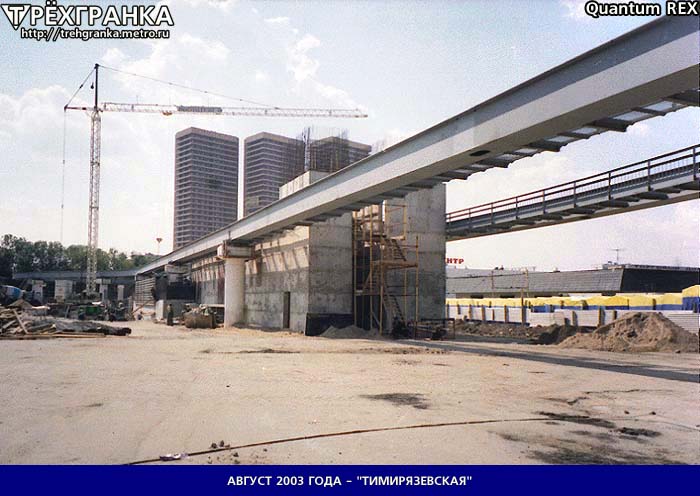
 Строительство станции "Улица Сергея Эйзенштейна"
 Станция "Улица Академика Королёва" Автор: Артём Светлов · Россия Москва Дата: 12 октября 2002 г., суббота
 "Мусорный сезон" начался на Бали, пластик покрывает пляжи страны из-за события, которое уже становится ежегодным, и связано с загрязнением океана и муссонам. Туристические пляжи Куты, Легиана и Семиньяка относятся к числу тех, которые ежедневно заваливаются до 60 тоннами пластикового мусора. Эта проблема обостряется с декабря по март каждого года, когда сезонные ветры и сильные дожди вымывают пластиковый мусор, который обычно выносится в море после попадания в индонезийские водные пути, обратно на пляжи. Пластиковое загрязнение из других стран также играет определенную роль, но доктор Дениз Хардести, специалист по исследованию пластикового загрязнения из Австралии, сказала, что большая часть отходов, вероятно, местного происхождения. В апреле 2020 года индонезийское правительство запустило экологический план по резкому сокращению пластиковых отходов в стране с целью уменьшения океанских пластиковых отходов на 70% к 2025 году и освобождения от загрязнения пластиком к 2040 году. Главный научный сотрудник Австралийского научного агентства CSIRO доктор Дениз Хардести сказала, что неудивительно, что пластик из года в год вымывается на пляжи Бали. "Это не ново, и это не удивительно, и происходит каждый год, и проблема растет в течение последнего десятилетия", — сказала она. По словам Хардести, растущее количество пластика, вымываемого на туристические пляжи, было отражением глобального роста производства пластика. Согласно исследованию, опубликованному журналом Nature Communications в 2017 году, Индонезия является одним из худших источников загрязнения пластиком: 200 000 тонн пластика вымывается в океан. Несмотря на рост пластикового загрязнения, в этом году вокруг стало меньше людей, которые могли увидеть выброшенный мусор, так как Бали остается закрытым для международных туристов, а его популярные пляжи пустуют.
1.jpg.c6cdf2020c0aa287b60501ae3a408c2f.jpg)
1.jpg.c0d5cb7dd9887eb59e9f8f0f318f105b.jpg)









Аккаунт
Навигация
Поиск
Configure browser push notifications
Chrome (Android)
- Tap the lock icon next to the address bar.
- Tap Permissions → Notifications.
- Adjust your preference.
Chrome (Desktop)
- Click the padlock icon in the address bar.
- Select Site settings.
- Find Notifications and adjust your preference.
Safari (iOS 16.4+)
- Ensure the site is installed via Add to Home Screen.
- Open Settings App → Notifications.
- Find your app name and adjust your preference.
Safari (macOS)
- Go to Safari → Preferences.
- Click the Websites tab.
- Select Notifications in the sidebar.
- Find this website and adjust your preference.
Edge (Android)
- Tap the lock icon next to the address bar.
- Tap Permissions.
- Find Notifications and adjust your preference.
Edge (Desktop)
- Click the padlock icon in the address bar.
- Click Permissions for this site.
- Find Notifications and adjust your preference.
Firefox (Android)
- Go to Settings → Site permissions.
- Tap Notifications.
- Find this site in the list and adjust your preference.
Firefox (Desktop)
- Open Firefox Settings.
- Search for Notifications.
- Find this site in the list and adjust your preference.