



Flanger
Администратор
-
Зарегистрирован
Весь контент Flanger
-
-
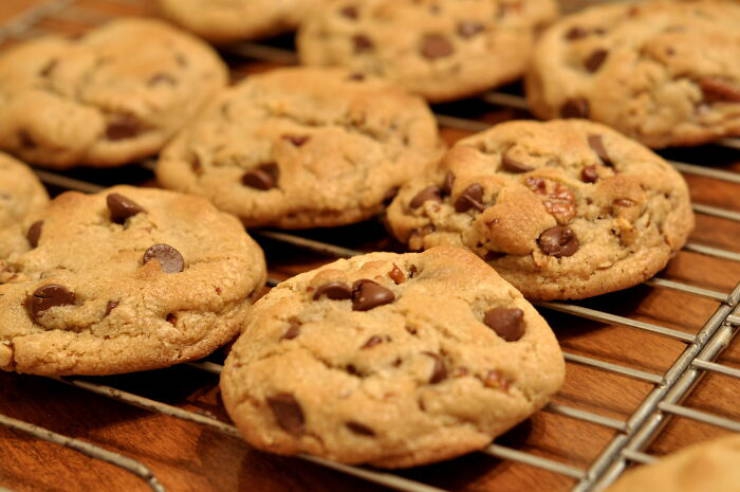
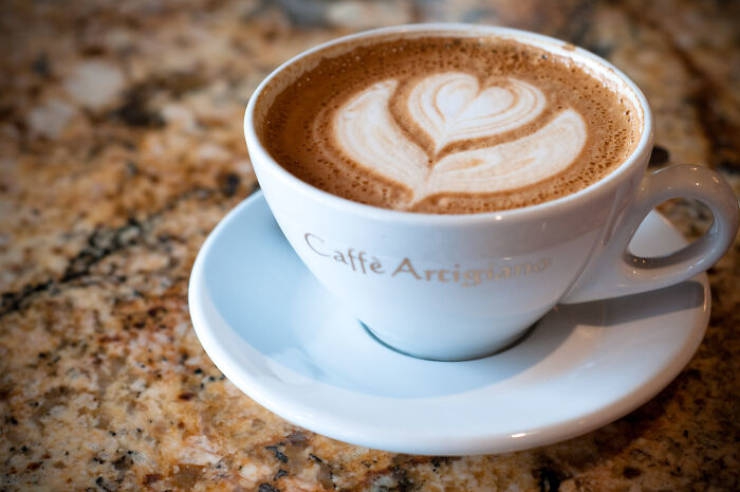
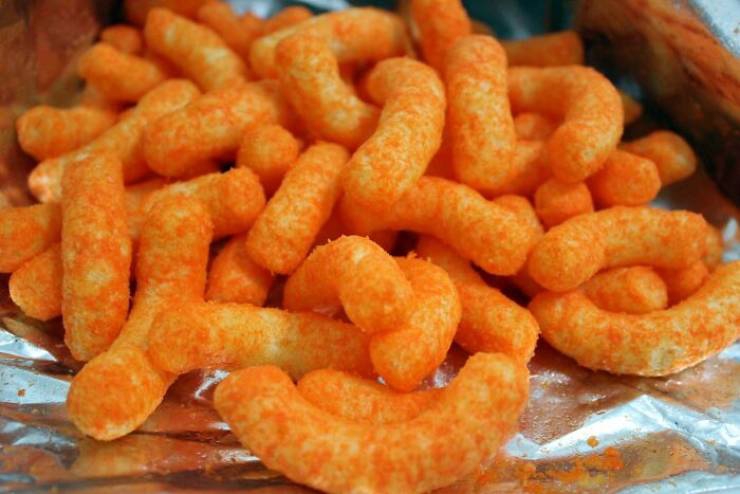
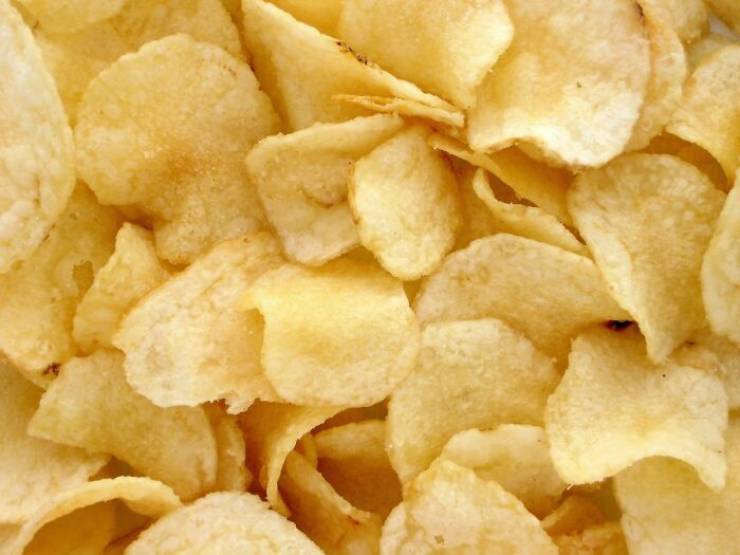
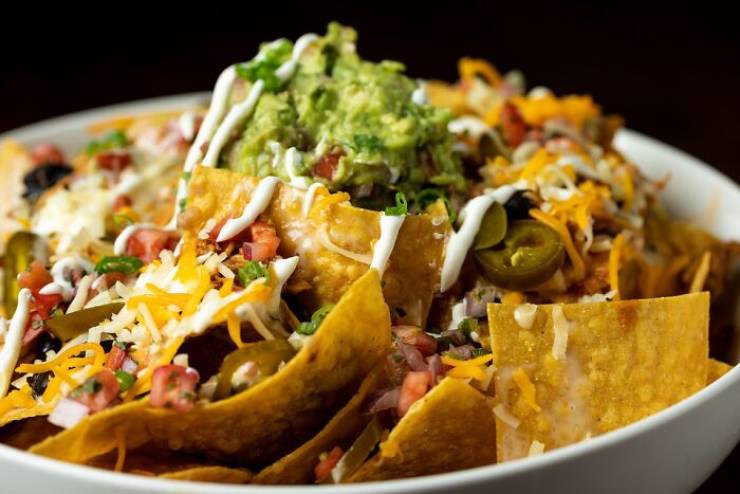
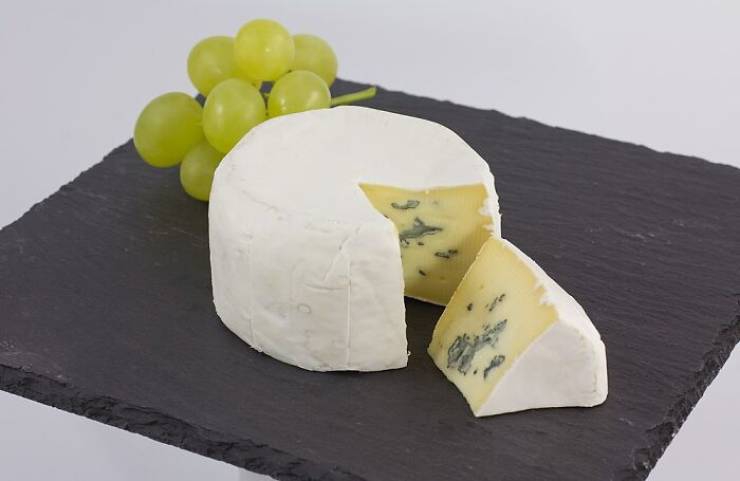
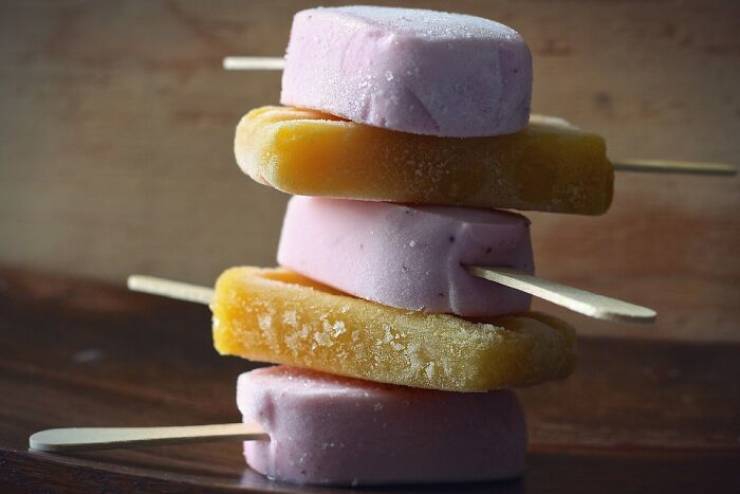
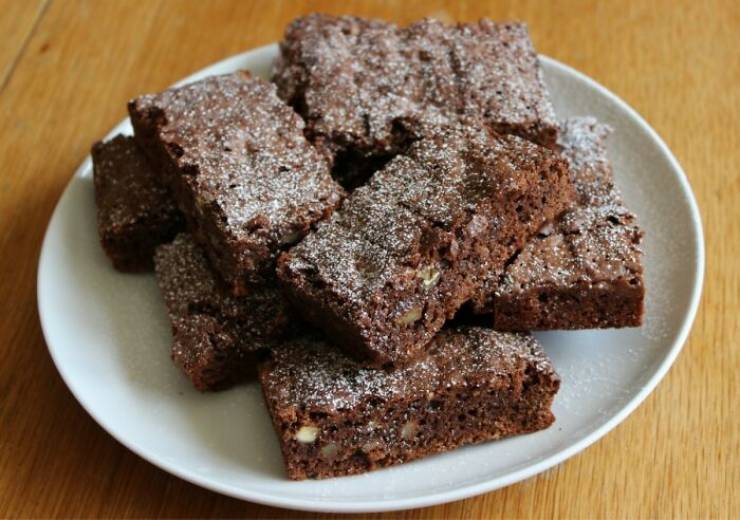
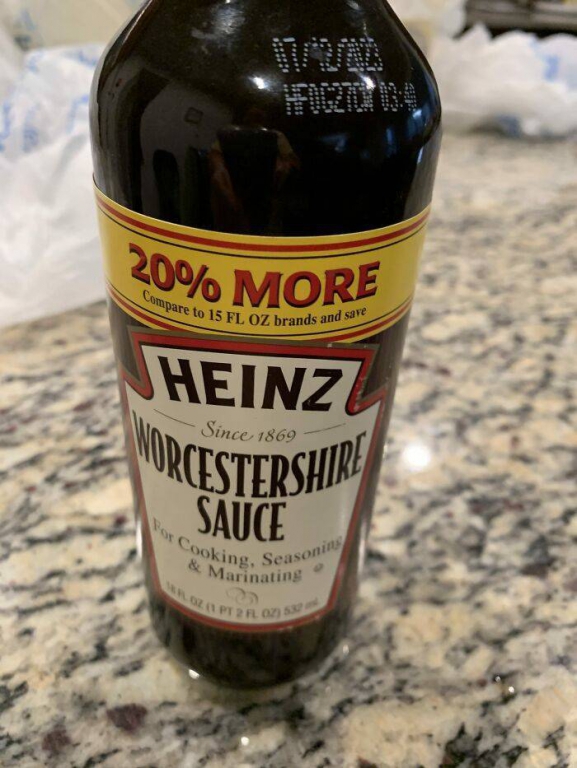
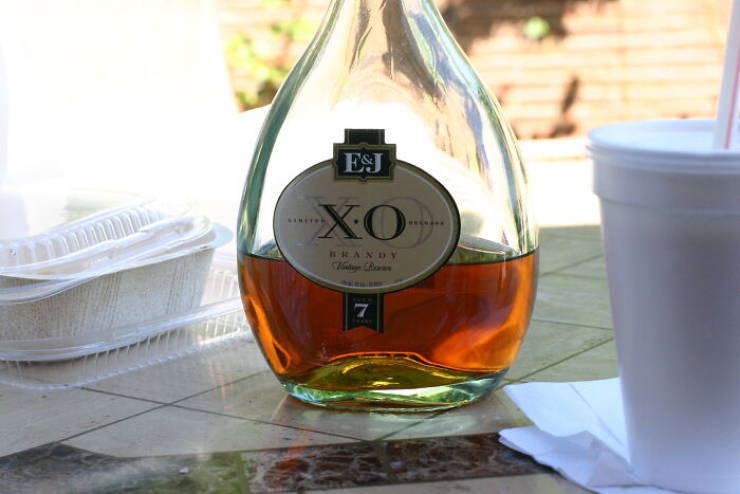
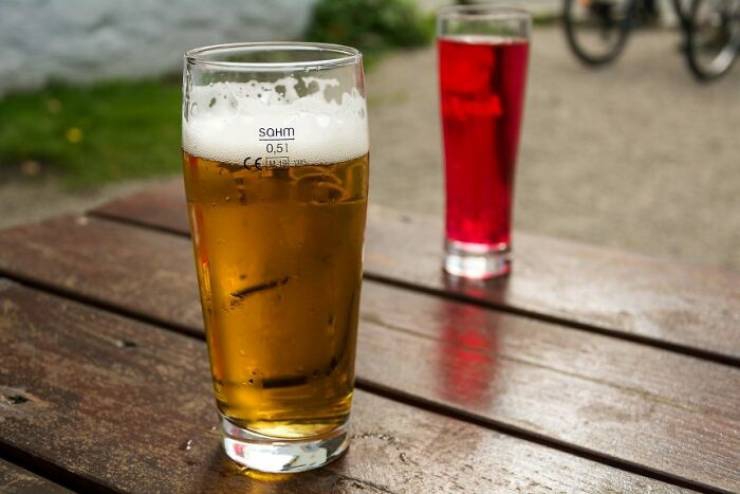
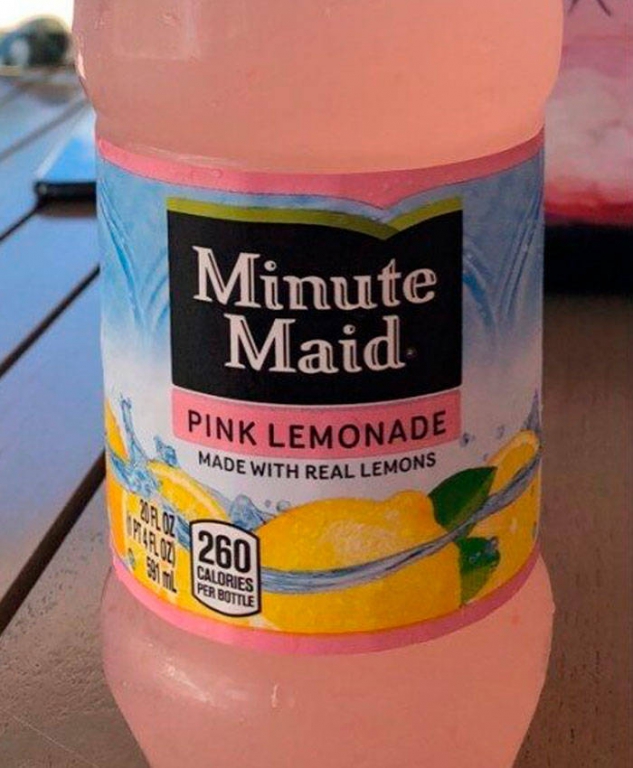
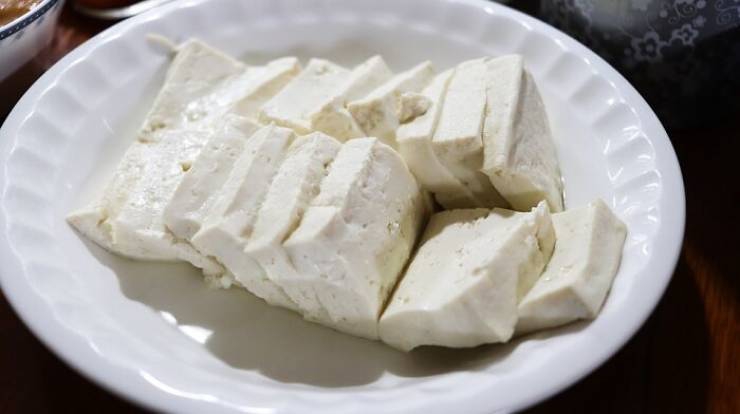
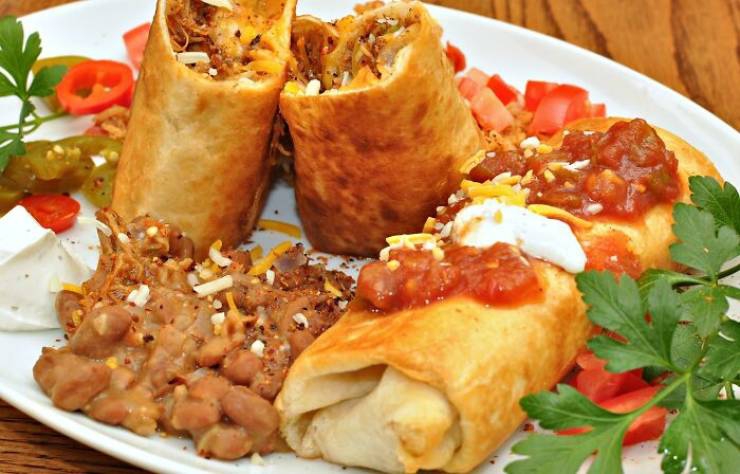
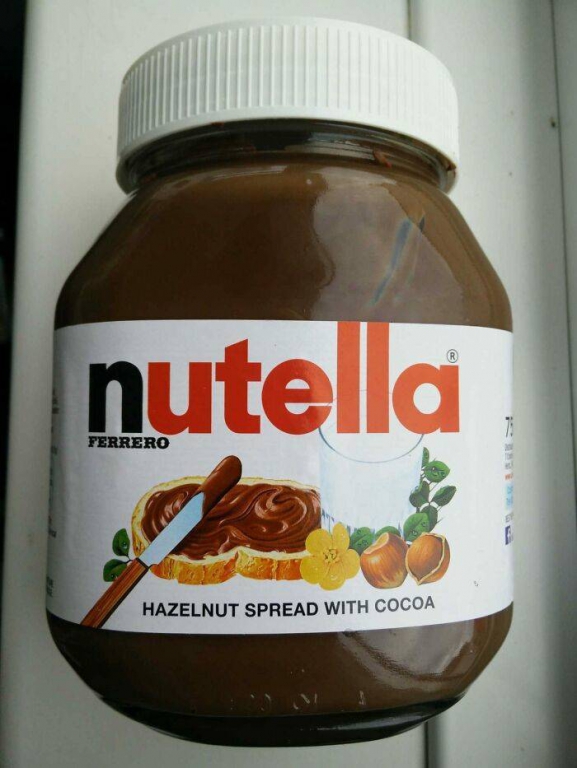
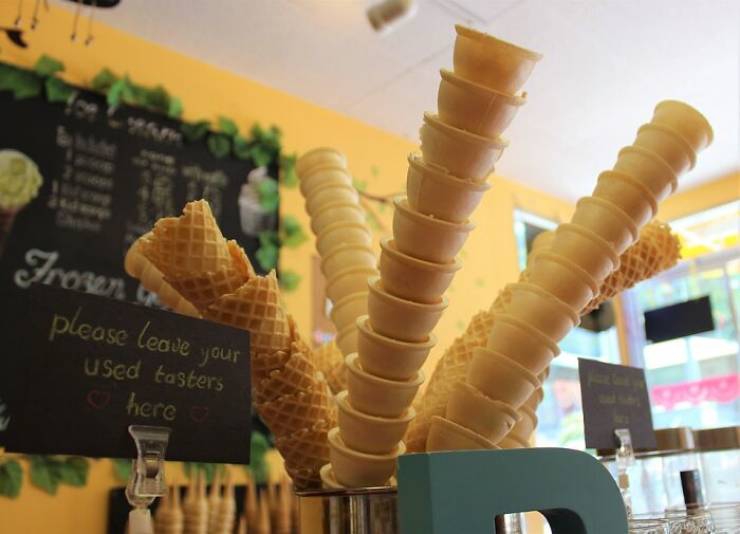
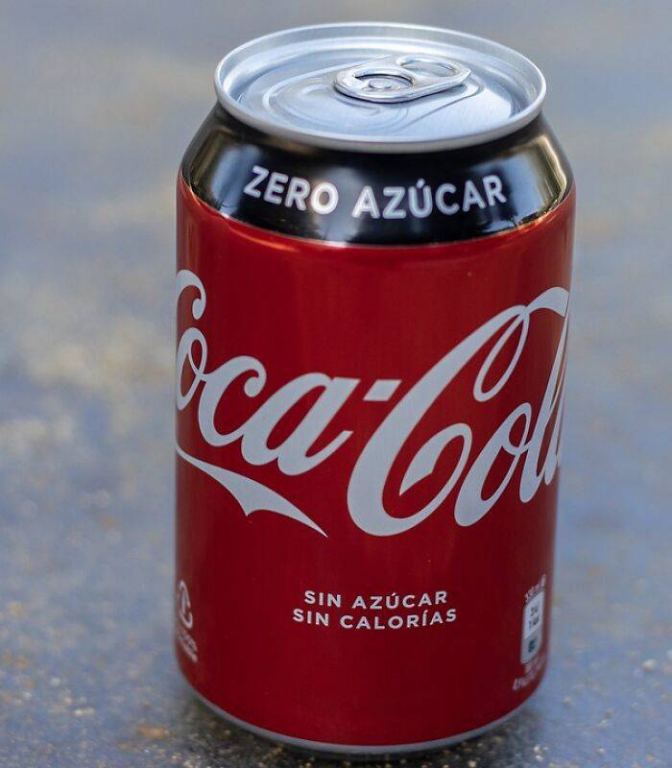
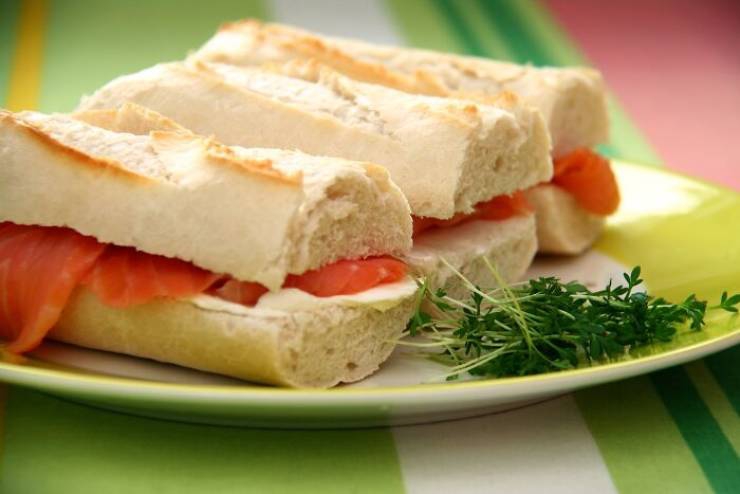
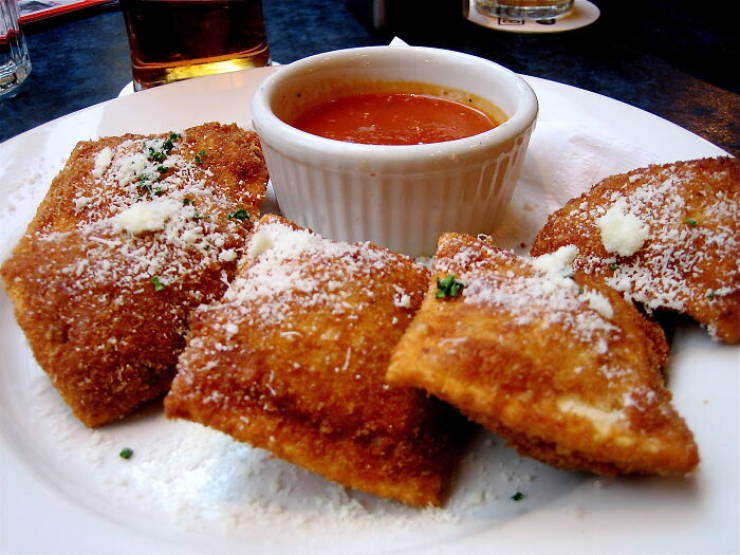
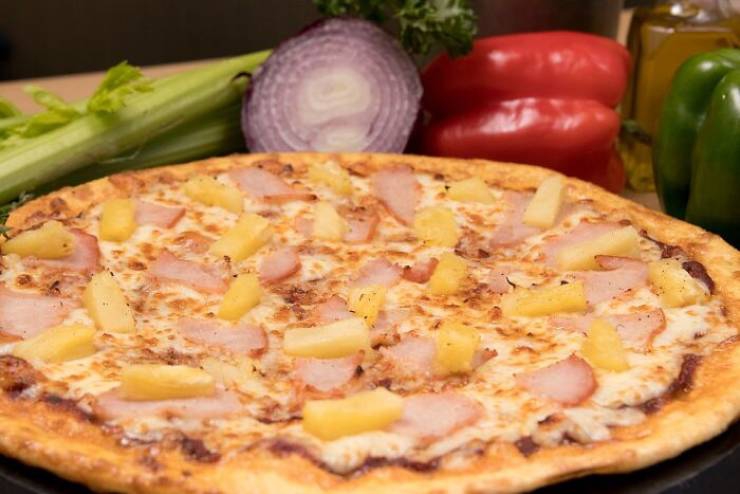
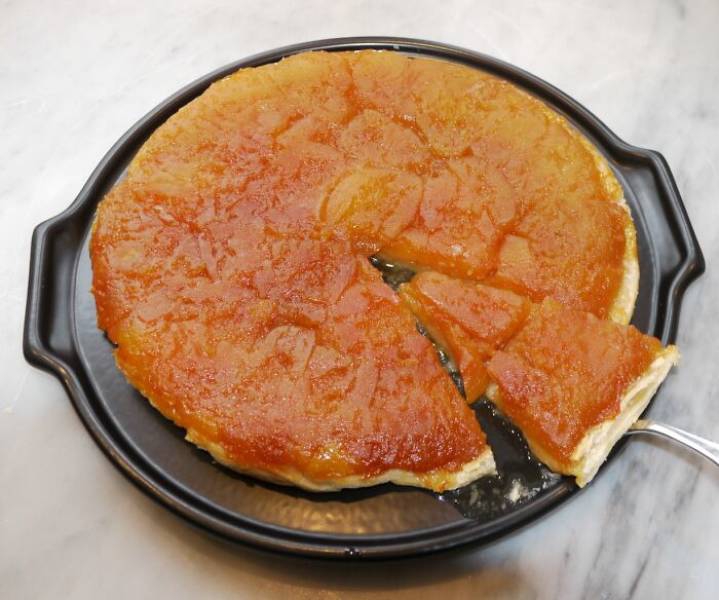
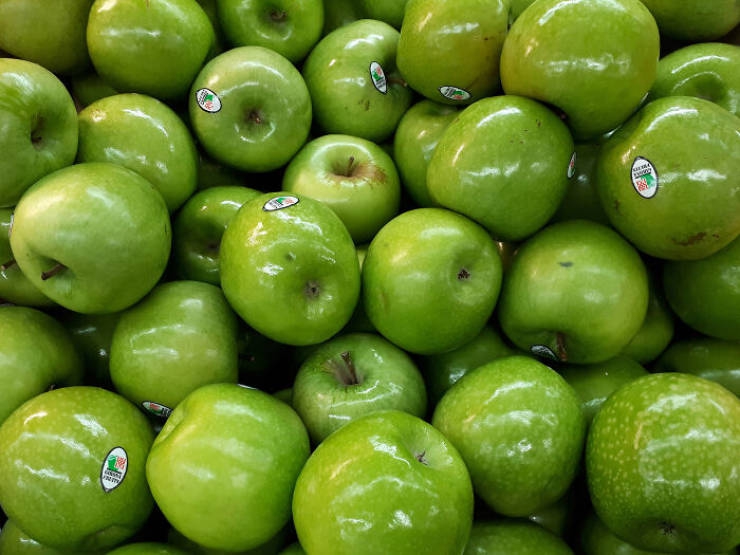
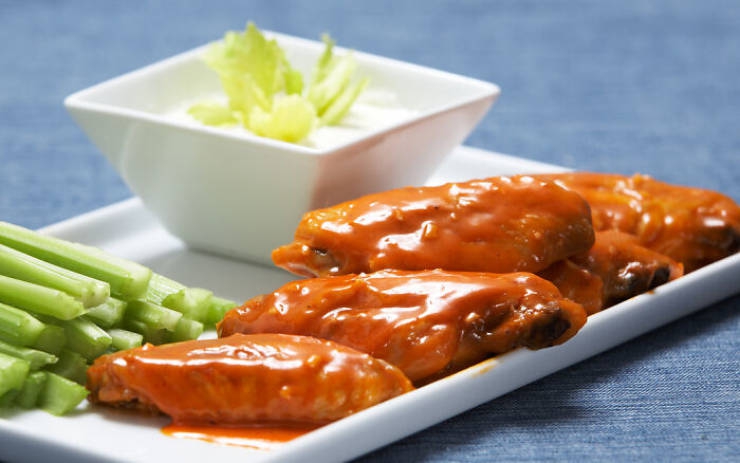
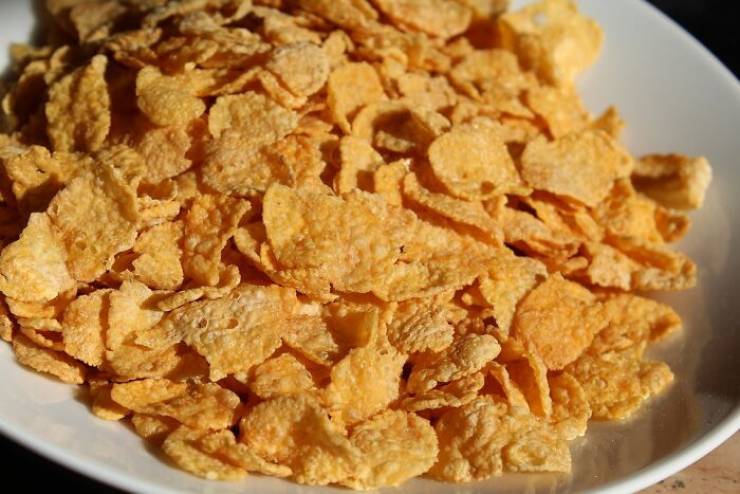
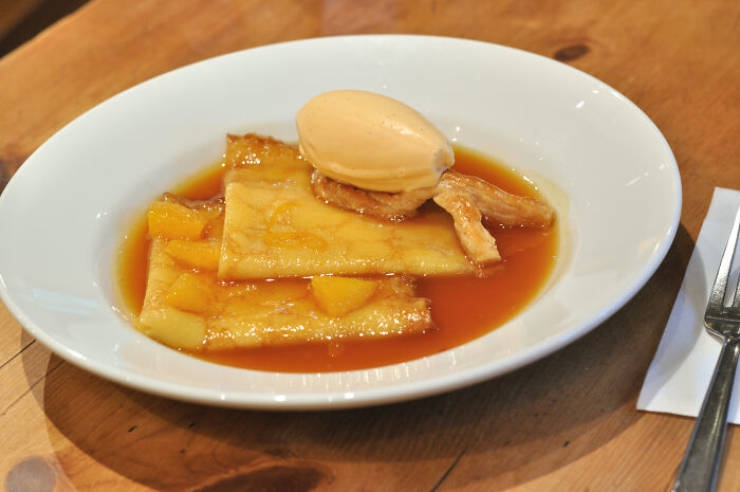
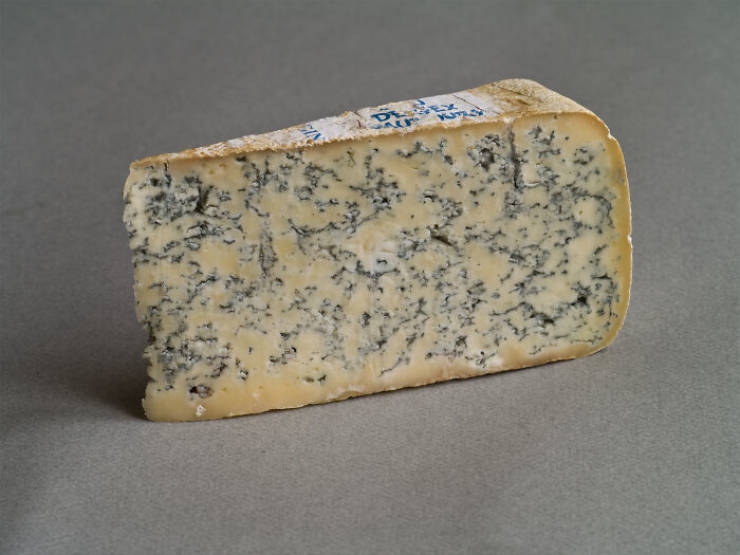
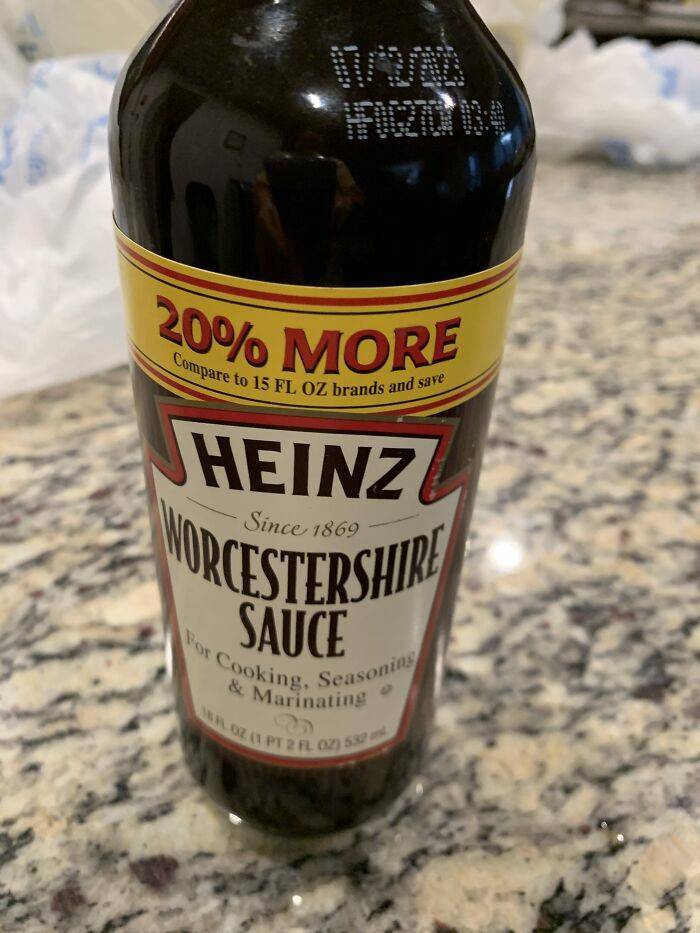
Печенье с шоколадной крошкой Поскольку Рут Уэйкфилд пекла шоколадное печенье для своих гостей, а шоколадная пудра закончилась, она решила разломать плитку шоколада Nestle. Кухонный эксперимент закончилось полуразочарованием, так как кусочки шоколада лишь немного подтаяли, сохранив форму. Но гостям они понравились, ее рецепт был напечатан в бостонской газете, что увеличило продажи шоколадных батончиков Nestle, что позже предоставило Рут пожизненный запас шоколада от Эндрю Нестле в качестве награды за печать ее рецепта на шоколадных батончиках. Кофе Считается, что эфиопские предки народов оромо первыми заметили бодрящий эффект кофе[. Однако никаких прямых доказательств на этот счёт нет, не сохранилось и свидетельств о том, где в Африке произрастал кофе или кто среди африканцев мог знать о существовании кофе раньше XVII века. Согласно широко распространённой легенде, первооткрывателем уникальных свойств кофейного дерева стал эфиопский пастух Калдим приблизительно в 850 году. Позднее возникновение данной легенды (1671 год) и отсутствие свидетельств самого Калдима заставляют ряд исследователей предполагать, что легенда недостоверна. Из Эфиопии кофе распространился в Египет и Йемен. Наиболее ранние свидетельства употребления кофе относятся к середине XV века в суфийских монастырях Йемена. Из Эфиопии кофейный напиток распространился по всему Ближнему и Среднему Востоку. К XIX веку кофе широко распространился в Италии, Индонезии и Америке. Первоначально (около 1200 года) кофе готовился как отвар из высушенной оболочки кофейных зёрен. Затем возникает идея об обжаривании этой оболочки на углях. Обжаренную кожуру и небольшое количество серебристой шкурки засыпали на полчаса в кипящую воду Сырные палочки Сырные палочки раньше, на самом деле были пищей для животных! Хотя существует несколько версий этой истории, Эдвард Уилсон в 1930-х годах из компании в Висконсине, производящей частично приготовленный корм для животных, решил сам попробовать воздушное пюре из кукурузного зерна и, добавив немного приправы, понял, что на самом деле это не так уж плохо и может быть вполне приличной закуской. Затем основатели Flakall Corporation, на которую он работал, запатентовали продукт, который теперь производится под разными названиями более чем в 100 компаниях. Картофельные чипсы Что ж, если бы не Южная Америка, у нас бы не было картофеля, и если бы не действительно раздраженный шеф-повар, мы бы не хрустели хрустящими картофельными чипсами. Первоначально картофельные чипсы не предназначались для еды, поскольку ресторатор Джордж Крам в 1853 году решил пережарить очень тонко нарезанный картофель, когда его клиенты снова и снова возвращали свой жареный картофель, жалуясь, что он слишком толстый и сырой. В конце концов клиенты были настолько довольны хрустящими ломтиками картофеля, что рассказали всем, об этой восхитительной закуске и о шеф-поваре, который ее готовит. Это побудило Крама открыть собственный ресторан. Начос В 1943 году Игнасио «Начо» Анайя Гарсия работал на кухне в Пьедрас-Неграс (штат Коауила, Мексика), когда горстка американских военных жен с соседней базы прошла мимо его ресторана, уставшие и голодные после покупок. Застигнутый врасплох в нерабочее время, он быстро поджарил несколько нарезанных лепешек, залил их сыром, посыпал нарезанным перцем халапеньо и засунул в духовку на несколько минут. Этот результат стал теперь широко потребляемым блюдом, и то, что в 2021 году было бы 124-м днем рождения Начо, было отмечено даже дудлом Google. Через несколько лет после своего успеха Начо открыл собственный ресторан. Сыр Производство сыра насчитывает более 4000 лет, и существует популярная легенда об арабском купце, который случайно сделал его первым. Когда он отправился в долгий путь через пустыню, у него был запас молока в овечьем желудке. Благодаря взрывному нагреву и ферментам в пакете он затвердел и отделил сыворотку. Путешественник смог не только утолить жажду, но и полакомиться сыром. Именно путешественники принесли искусство сыроделия из Азии в Европу. Фруктовый лед (мороженное) Впервые фруктовый лёд был создан в 1905 году. 11-летний Фрэнк Эпперсон из Сан-Франциско оставил стакан с содовой и деревянной ложкой на заднем дворе. В ту ночь температура упала ниже нуля, и когда Эпперсон обнаружил напиток на следующее утро, то увидел, что газированная вода в стакане замёрзла. Мальчик хотел растопить напиток, поставив его под струю горячей воды. Потянув за ложку, он вытащил замороженный напиток и съел. Фруктовый лёд был представлен публике на Оклендском бале для пожарных в 1922 году. В 1923 году Эпперсон подал заявку на патент для «замороженного льда на палочке», который назвал Popsicle (англ.)рус. по просьбе своих детей. Пару лет спустя Эпперсон продал права на фирменное наименование Нью-Йоркской компании Joe Lowe Company. Брауни История брауни задокументирована: светская львица Берта Палмер заказала кондитеру Palmer House Hotel десерт, подходящий для посетительниц Всемирной выставки в Чикаго 1893 года: небольшого размера и похожий на сладкий пирог, но при этом удобный для поедания из коробок. Оригинальные брауни содержали грецкие орехи и абрикосовую глазурь, их до сих пор готовят в отеле по оригинальному рецепту. Первое известное печатное использование слова «брауни» для описания десерта появилось в версии 1896 года Поваренной книги Бостонской кулинарной школы Фанни Фармер в отношении кексов с патокой, выпекаемых индивидуально в жестяных формах. Однако пирожные Фармера не содержали шоколада. В 1899 году первый известный рецепт был опубликован в Machias Cookbook. Они назывались «Еда Брауни». Рецепт появляется на странице 23 в разделе книги о тортах. Мари Келли из Уайтуотера, штат Висконсин, создала рецепт. Самые ранние из известных опубликованных рецептов шоколадного пирожного в современном стиле появились в Home Cookery (1904, Лакония, Нью-Хэмпшир), Service Club Cook Book (1904, Чикаго, Иллинойс), The Boston Globe (2 апреля 1905 г., стр. 34), и издание 1906 года кулинарной книги Fannie Farmer. По этим рецептам получилось относительно мягкое пирожное, похожее на пирожное. К 1907 году брауни утвердился в узнаваемой форме, появившись в Поваренной книге Лоуни Марии Уиллет Ховард (опубликованной Walter M. Lowney Company, Бостон) как адаптация рецепта Бостонской кулинарной школы для «бангорского брауни». Вустерский соус Легенда гласит, что по заказу лорда Маркуса Сэндиса (1798 – 1863), вернувшегося из Бенгалии в родной Вустершир в 1837 году, одна из аптек приготовила соус по привезённому лордом из Индии рецепту. Но заказчик отказался забрать заказ и оплатить его, так как, по его словам, получилось совсем не то, что он заказывал. Аптекари не стали выбрасывать не получившийся соус, а убрали его в подвал. Через несколько месяцев при очередной ревизии аптекари обнаружили оставленный соус, про который все уже к тому времени забыли. После пробы соуса ко всеобщему удивлению выяснилось, что он приобрёл исключительные вкусовые качества. Был обнаружен и рецепт лорда, по которому наладили выпуск соуса[. Аптекари Джон Ли и Вильям Перринс открыли продажу нового соуса под торговой маркой Lea & Perrins. Компания Lea & Perrins является наиболее известным производителем ворчестера и по настоящее время (с 2005 года входит в состав Kraft Heinz Company). Историки отмечают значительное сходство ворчестера с популярным еще до нашей эры в греко-римской кухне гарумом. Бренди Изначально бренди производили для того, чтобы укрепить вино, чтобы оно могло совершать длительные, иногда межконтинентальные путешествия. Поскольку он хранился в деревянных бочках, это привело к улучшению исходного дистиллированного спирта и сделало его более пригодным для питья, которое позже превратилось в самостоятельный напиток. Пиво Точное время начала пивоварения неизвестно, однако археологические данные свидетельствуют, что пиво варили в Месопотамии в 6 тысячелетии до нашей эры. Одомашнивание важнейших для пивоварения злаковых культур — ячменя, пшеницы и ржи — произошло не позднее 8 тыс. до н. э. в Плодородном полумесяце. Из пшениц для пивоварения наиболее важны однозернянка, двузернянка и пшеница мягкая; все виды одомашненного ячменя и ржи принадлежат к видам ячмень обыкновенный и рожь посевная, соответственно. Предполагается тесная связь между пивоварением и хлебопечением. Неизвестно, что появилось раньше — хлеб или пиво, однако высказывается соображение, что хлеб, вероятно, появился раньше, так как одомашнивание злаков произошло до появления гончарного дела, необходимого для пивоварения. Первоначальный рецепт пива, скорее всего, включал вымачивание в воде хлеба из ферментированного теста либо требовал приготовления каши из разваренного зерна, которая затем скисала. Сырьём для первого пива наверняка был ячмень, так как среди зерновых он содержит больше всего амилазы, которая расщепляет крахмал на олигосахариды. Через некоторое время для пива начали использовать пророщенное зерно (солод), а также добавлять в ферментирующееся сырьё немного пива из прошлой партии для закваски. За ферментацию первого пива отвечали как дрожжи, так и лактобациллы, из-за чего оно имело кислый вкус. Розовый лимонад В некрологе 1912 года розовый лимонад приписывается работнику цирка Генри Э. «Санчесу» Аллотту, в котором говорится, что он по ошибке уронил красные леденцы с корицей. Другая история происхождения относится к другому работнику цирка, Питу Конклину, в 1857 году. Его брат Джордж Конклин рассказывает эту историю в своих мемуарах 1921 года. Согласно рассказу, лимонад Конклина представлял собой смесь воды, сахара и винной кислоты, а ванна была украшена одним лимоном, который он неоднократно использовал в течение сезона. Однажды у него закончилась вода. В отчаянных поисках он нашел ванну с водой, которую наездница без седла недавно использовала для полоскания своих розовых колготок. Добавив сахар, кислоту и оставшиеся кусочки лимона, он предложил полученную смесь как «клубничный лимонад», и его продажи удвоились. Тофу Существует мнение, что рецепт тофу был открыт случайно, когда в блюдо с растёртыми соевыми бобами попала морская вода, вызвавшая их створаживание. По одной из версий происхождения тофу, он был впервые получен во II в. до н. э. в Китае и распространился в период Нара (VIII век) в Японии. Некоторые учёные считают, что тофу прибыл во Вьетнам в течение X и XI веков. Затем его стали употреблять и в других регионах Юго-Восточной Азии и Дальнего Востока, он стал одним из основных пищепродуктов. Имеются региональные различия в методах производства, текстуре, вкусе и использовании тофу. Одну из сцен на рельефах в гробнице в Дахутине[en] (Хунань, КНР) иногда интерпретируют как изображение процесса изготовления тофу. Рельеф был создан во время династии Восточная Хань. Более поздняя информация о тофу появляется только в X веке. В западных странах тофу стал широко известен во второй половине XX века благодаря улучшению культурных связей с восточноазиатскими странами и распространению вегетарианства. Чимичанга Возможно это блюдо делали индейцы из племени Чимилы, проживавшие на территории современной Колумбии. Есть и другое происхождение. Одна из версий гласит, что в ресторане El Charro в штате Аризона хозяйка готовила буррито и случайно уронила уже готовое блюдо в сковороду с кипящим маслом. В отчаянии она хотела произнести испанское ругательство «Ay, chingado!» (исп. провал, крах), но постеснялась маленькой племянницы и произнесла «Ay, chi…michanga!» (исп. micha — моя кошечка/мой котёночек для данного контекста). Когда блинчик подрумянился, хозяйка как опытный кулинар поняла, что совершенно случайно у неё получилось новое и довольно оригинальное блюдо. Нутелла В 1946 году Пьетро Ферреро., владелец пекарни в Альбе, выпустил первую партию шоколадной пасты под названием Pasta Gianduja в виде батончиков, завёрнутых в фольгу. В связи с нехваткой шоколада первые годы после окончания Второй мировой войны Ферреро добавлял в пасту фундук, которого было в достатке в Пьемонте. В 1951 году он создал кремовую версию продукта, получившую название Supercrema. В 1963 году его сын Микеле Ферреро внёс изменения в состав пасты, и в 1964 году на рынок вышел продукт в стеклянных баночках под названием Nutella, который быстро обрёл популярность и получил коммерческий успех. Вафельный стаканчик У нас, вероятно, не было бы выбора, как подавать мороженое — в рожке или в чашке, — если бы не сирийский продавец кондитерских изделий Эрнест А. Хамви на Всемирной выставке в Сент-Луисе в 1904 году. И хотя Итало Маркиони получил патент на свой рожок мороженого в декабре 1903 года в Нью-Йорке, изобретение Хамви было чистым детищем, сделанным на скорую руку. У продавца мороженого в киоске по соседству закончилась посуда для подачи мороженого, поэтому Хамви быстро свернул одно из своих свежеиспеченных вафельных пирожных, которые остыли за секунду, и положил сверху мороженое. Кола Кока-кола должна была стать лекарством, когда Джон Пембертон изобрел ее еще в 1885 году в Атланте, штат Джорджия. Он продавал его как «тоник для мозга и интеллектуальный напиток», сохраняя рецепт в секрете, но не скрывая того факта, что он содержит кокаин, извлеченный из листьев коки, и кофеин из орехов кола (отсюда и название Coca Cola). И именно во время сухого закона он стал популярным как «безалкогольный» напиток, поскольку люди наслаждались его вкусом, без добавления кокаина, конечно. Сэндвич Будучи одним из самых удобных продуктов питания, который можно есть где угодно и как угодно, независимо от ситуации, сэндвич, похоже, был изобретен заядлым игроком Джоном Монтегю в 1762 году. Будучи благородным графом Сэндвичем и имея большую зависимость от азартных игр, он заказал повару, приготовить что-нибудь поесть, чтобы ему не пришлось выходить из игры, чтобы что-нибудь поесть. Неизвестный повар придумал положить немного говядины между поджаренным хлебом, а остальное уже история. Поджаренные равиоли Большинство рассказов о поджаренных равиоли прослеживают свое происхождение до преимущественно итало-американского района Сент-Луиса, Хилл. Предположительно шеф Фриц случайно уронил равиоли во фритюрницу. «Микки Гараджола, старший брат члена Зала славы бейсбола Высшей лиги Джо Гараджолы, был в баре во время происшествия и первым попробовал случайное угощение». Вскоре после этого этот блюдо начало появляться в меню по всему миру. Холм. Многие другие рестораны в The Hill заявляют о его создании, среди них ресторан Чарли Гитто «On The Hill» (тогда известный как «Angelo's»). В этой истории утверждается, что в 1947 году Марио Баттоклетти, шеф-повар Анджело, случайно уронил равиоли в масло вместо воды. Другое утверждение исходит от Луи Олдани. Говорят, что Олдани назвал блюдо «поджаренными» равиоли, потому что считал, что «поджаренные» более привлекательны, чем «жареные». Все первоначальные держатели претензий теперь умерли. Рестораны Lombardo's, расположенные в районе Сент-Луиса, также утверждают, что они были одними из первых, кто привез в Штаты жареные равиоли из Сицилии; их нынешний владелец, Тони Ломбардо, показывает меню 1930-х годов, в которых оно есть. Гавайская пицца Некоторые любители пиццы сказали бы, что положить на нее ананас — это шутка, они в какой-то степени правы, поскольку на самом деле это было изобретено во время развлечения. Два брата, эмигрировавшие в Канаду из Греции в 50-х годах, экспериментировали с различными ингредиентами в своем ресторане, когда один из них, Сэм Панополус, решил положить немного ветчины и ананаса, чтобы посмотреть, каков он на вкус. Наверняка они понятия не имели, что с годами эта начинка разделит людей, которые ненавидят ананас в пицце и которым он нравится. Шампанское Полной случайностью стало то, что виноделы французского региона Шампань захотели составить конкуренцию бургундским винам. Однако холодные зимы в регионе были причиной того, что вино переставало бродить и возобновляло процесс весной, когда дрожжи оживали и начинали брожение только с выделением углекислого газа, от которого лопались слабые бутылки. Приспособив стеклянную посуду соответствующим образом, виноделам удалось сохранить бутылки целыми, и сегодня у нас есть что-нибудь игристое, чтобы выпить на Новый год! Тарт Татен Согласно исследованиям рецепт «Тарт Татен» был придуман в гостинице сестёр Стефани (1838—1917) и Каролины (1847—1911) Татен в Ламотт-Беврон около 1880-х годов. Существует теория, что во время приготовления пирога Стефани забыла сделать форму из теста и выложила карамелизированные яблоки в форму, а затем, чтобы не переделывать, просто покрыла его тестом. Также есть мнение, что кондитер просто уронила пирог и затем собрала его как смогла. Существуют альтернативные теории, что рецепт перевёрнутого пирога является традиционным для региона Солонь, и Стефани только немного изменила рецепт. Сёстры никогда не называли тарт своим именем и не публиковали кулинарных книг. Особую известность рецепту принёс ресторатор Maxim's, который, попробовав пирог в Ламотт-Бевроне, добавил его в меню своего ресторана. Тарт Татен является фирменным блюдом отеля-ресторана «Татен». Яблоки Гренни Смит Одна из легенд гласит, что яблоки этого сорта были получены Анной Марией Смит, жившей в Австралии пожилой женщиной. Увлекаясь селекцией, она скрестила привезённую из Франции яблоню-дичку с местной австралийской яблоней. По другим источникам, единственное дерево этого сорта выросло в результате случайного переопыления в 1868 году. Яблоки отличались высокими товарными свойствами. Воспроизвести мутацию не удалось — «Гренни смит» размножаются только вегетативно. Сначала сорт завоевал Новую Зеландию, а в 1930-е годы добрался до Великобритании. Крылышки Буффало Есть несколько разных версий об изобретении крыльев Баффало. Одна из версий, что крылышки Баффало были впервые приготовлены в баре Anchor в Буффало, штат Нью-Йорк, Терезой Беллиссимо, которая владела баром вместе с мужем Фрэнком в 1964 году. В то время куриные крылышки были недорогими и нежелательными, в основном их использовали для бульона или супа. После необъявленного ночного прибытия их сына Доминика с несколькими друзьями из колледжа Терезе понадобилась быстрая и легкая закуска, чтобы преподнести ее гостям. Именно тогда ей пришла в голову идея жарить во фритюре куриные крылышки (обычно выбрасываемые или оставляемые на запас) и бросать их в кайенский острый соус. Доминик Беллиссимо (сын Фрэнка и Терезы) сказал репортеру The New Yorker Кэлвину Триллину в 1980 году: «Это был вечер пятницы в баре, и, поскольку люди покупали много напитков, он хотел сделать для них что-нибудь приятное в полночь, когда посетители, в основном католики, сможет снова есть мясо». Он заявил, что идея куриных крылышек пришла в голову его матери. Была ошибочная доставка крылышек вместо спинок и шеек для приготовления соуса для спагетти в баре. Столкнувшись с этим неожиданным ресурсом, Фрэнк Беллиссимо говорит, что попросил Терезу что-нибудь с ними сделать. Хотя в статье, опубликованной о Anchor Bar в местной газете в 1969 году, не упоминаются крылышки Buffalo, местный конкурент Anchor Bar, Duff's, начал продавать крылышки Buffalo в том же году. Другое версия состоит в том, что Джон Янг, переехавший в Буффало из Алабамы в 1948 году, начал подавать неразрезанные куриные крылышки, которые были панированы, обжарены во фритюре и подавались в его собственном особом томатном «соусе Мамбо» в своем ресторане Buffalo, начиная с 1961 года. Перед открытием своего ресторана он разговаривал с боксером, который путешествовал, и в более позднем интервью Янг вспоминал: Он сказал мне, что в Вашингтоне, округ Колумбия, есть ресторан, который делает хороший бизнес с крыльями. В том же интервью Янг заявил, что в Anchor Bar не предлагали крылышки Баффало в качестве обычного пункта меню до 1974 года. Он зарегистрировал название своего ресторана John Young's Wings 'n Things в здании окружного суда, прежде чем покинуть район Буффало в 1970 году. В 2013 году на Национальном фестивале крыльев баффоло, проходившем в Буффало, штат Нью-Йорк, вклад Джона Янга был отмечен, когда он был введен в Национальный зал пламени фестиваля крылышек буффало. Слурпи (напиток) Омар Кнедлик изобрел машины для приготовления замороженных напитков в конце 1950-х годов. Идея напитка со льдом возникла, когда у Кнедлика сломался фонтанчик с газировкой, из-за чего ему пришлось положить свои газированные напитки в морозильник, чтобы они оставались прохладными, из-за чего они стали как "слизь". Результат понравился покупателям, что натолкнуло его на мысль сделать машину, помогающую делать «слякоть» из газированных напитков. Когда оно стало популярным, Кнедлик нанял художницу по имени Рут Э. Тейлор, чтобы она придумала имя и логотип для своего изобретения. Она придумала название Icee и разработала оригинальный логотип, который используется до сих пор. Ранние прототипы машины использовали автомобильный кондиционер. После успешного испытания машин Icee в 100 магазинах 7-Eleven заключила лицензионное соглашение с The Icee Company о продаже продукта на определенных условиях в 1965 году. Два из них заключались в том, что 7-Eleven должна была использовать другое имя для продукт, и что компании было разрешено продавать продукт только в точках 7-Eleven в США, пункт о неконкуренции, гарантирующий, что два напитка никогда не будут конкурировать за права на распространение. Затем 7-Eleven продали продукт, который в 1966 году стал известен как «Slurpee» (из-за звука, издаваемого при их употреблении). Термин был придуман Бобом Стэнфордом, директором рекламного агентства 7-Eleven. Кукурузные хлопья История кукурузных хлопьев берёт начало в XIX веке. Владельцы санатория «Батл-Крик» в одноимённом городе штата Мичиган, доктор Келлог и его брат Уилл Кит Келлог, готовили какое-то блюдо из кукурузной муки, но им срочно понадобилось отлучиться по неотложным делам пансиона. Когда же они вернулись, то обнаружили, что кукурузная мука испортилась. Так как их бюджет был жёстко ограничен, Келлоги всё равно решили приготовить из муки тесто, однако тесто свернулось, и получились хлопья и комки. Братья от отчаяния пожарили эти хлопья, и оказалось, что некоторые из них стали воздушными, а некоторые приобрели приятную хрустящую консистенцию. Впоследствии эти хлопья были предложены пациентам доктора Келлога в качестве нового блюда и, подававшиеся к столу с молоком и кефиром, они были очень популярны. Добавив в хлопья сахар, Уилл Кит Келлог сделал их вкус более приемлемым для широкой аудитории. Так в 1895 году оригинальные кукурузные хлопья были запатентованы американским врачом Джоном Харви Келлогом. В 1906 году Келлоги начали массовое производство нового типа пищи и основали собственную компанию — Kellogg’s, она до сих пор является лидером по производству кукурузных хлопьев и сухих завтраков. Блинчики Сюзетт Происхождение блюда и его название оспариваются. Одно из утверждений состоит в том, что он был создан в результате ошибки четырнадцатилетнего помощника Анри Шарпантье в 1895 году в ресторане Maitre в Café de Paris в Монте-Карло. Он готовил десерт для принца Уэльского, будущего короля Эдуарда VII, в числе гостей которого была красивая французская девушка по имени Сюзетт. Эта история была рассказана самим Шарпантье в его автобиографии «Жизнь а ля Анри», хотя позже она была опровергнута гастрономической энциклопедией Larousse Gastronomique. «Блюдо загорелось совершенно случайно, когда я работал возле плиты. Я думал, оно испорчено. Принц и его друзья ждали. Как я мог начать все сначала? Я попробовал. Я подумал, что это была самая восхитительная смесь сладких вкусов, которую я когда-либо пробовал. Я до сих пор так считаю. Этот случай с пламенем был именно тем, что было необходимо, чтобы объединить все эти различные инструменты в единую гармонию вкуса … Он съел блины вилкой; но он использовал ложку, чтобы собрать оставшийся сироп. Он спросил меня, как называется то, что он ел с таким удовольствием. Я сказал ему, что оно будет называться Crêpes Princesse. … Дама поднялась на ноги и, придерживая руками свою маленькую юбку, сделала ему реверанс. „Не могли бы вы, — сказал Его Величество, — поменять Crêpes Princesse на Crêpes Suzette?“ Так родилось это кондитерское изделие, один вкус которого, как я действительно верю, превратит каннибала в цивилизованного джентльмена. На следующий день я получил подарок от принца, украшенное драгоценными камнями кольцо, панамскую шляпу и трость». Однако различные источники (например, Larousse Gastronomique) сомневаются, что принцу прислуживал Шарпантье, а не метрдотель, потому что он был слишком молод[1]. Менее фантастическая версия вытекает из интервью Элси Ли с ним в 1950-х годах. Там Шарпантье подробно объяснил, что «его сложная версия началась с блюда из блинов с фруктовым соусом, которые его приёмная мать готовила по особым случаям». В то время шеф-повара в Париже часто добавляли ликёр. В другом утверждении говорится, что блюдо было названо в честь французской актрисы Сюзанны Райхенберг (1853—1924), которая профессионально работала под именем Сюзетт. В 1897 году Райхенберг появилась в Комеди Франсез в роли горничной, во время которой она подавала блины на сцене. Блинчики предоставил месье Жозеф, владелец ресторана Marivaux. Он решил поджарить тонкие блины, чтобы привлечь внимание публики и подогреть еду для актёров. Впоследствии Джозеф был директором ресторана Paillard в Париже, а затем работал в отеле Savoy в Лондоне. В 1896 году швейцарско-американский ресторатор Оскар Чирки опубликовал рецепт «Блинчики в стиле казино», в котором всё было готово, кроме финального фламбе[5]. Эскофье описал блины Сюзетт в английской версии своего Guide Culinaire в 1907 году (французское издание — 1903) точно так же, также без финального фламбе. К 1898 году это блюдо уже было фирменным блюдом французского ресторана Marie’s Голубые сыры По легенде, голубые сыры обязаны своим появлением на свет молодому пастуху, который при встрече со случайной незнакомкой так ею увлёкся, что забыл об обеде. Оставленный им в известковой пещере сыр оброс плесенью. Это печальное обстоятельство не помешало влюблённому впоследствии съесть с виду испорченный сыр и найти его вкус приятным.

-
-
-
Gaming Rainbow. Это новейшая серия консервированного саке Hito Maku от производителя SakeBottler, целью которой является придание свежего вида традиционному напитку.

-
-
redditsave.com_whats_inside_a_jumbo_squid_mildly_graphic-hu3ph68mdtz81.mp4
-
-
-
-
redditsave.com_taking_off_and_landing_in_an_personal_octocopter-fbtk9se0hpy81.mp4























Аккаунт
Навигация
Поиск
Configure browser push notifications
Chrome (Android)
- Tap the lock icon next to the address bar.
- Tap Permissions → Notifications.
- Adjust your preference.
Chrome (Desktop)
- Click the padlock icon in the address bar.
- Select Site settings.
- Find Notifications and adjust your preference.
Safari (iOS 16.4+)
- Ensure the site is installed via Add to Home Screen.
- Open Settings App → Notifications.
- Find your app name and adjust your preference.
Safari (macOS)
- Go to Safari → Preferences.
- Click the Websites tab.
- Select Notifications in the sidebar.
- Find this website and adjust your preference.
Edge (Android)
- Tap the lock icon next to the address bar.
- Tap Permissions.
- Find Notifications and adjust your preference.
Edge (Desktop)
- Click the padlock icon in the address bar.
- Click Permissions for this site.
- Find Notifications and adjust your preference.
Firefox (Android)
- Go to Settings → Site permissions.
- Tap Notifications.
- Find this site in the list and adjust your preference.
Firefox (Desktop)
- Open Firefox Settings.
- Search for Notifications.
- Find this site in the list and adjust your preference.